Settings & Tools
Configure your Claude plan, view achievements, inspect your Claude Code configuration, edit CLAUDE.md files, and manage data export.
Plan Selector
Select your active Claude subscription plan. This determines how utilization metrics are calculated in the Dashboard.
| Plan | Description |
|---|---|
| Pro | Standard Claude Pro subscription with base usage limits |
| Max 5x | Claude Max with 5x the standard usage limits |
| Max 20x | Claude Max with 20x the standard usage limits |
You can change your plan at any time. The change takes effect immediately and recalculates all utilization widgets.
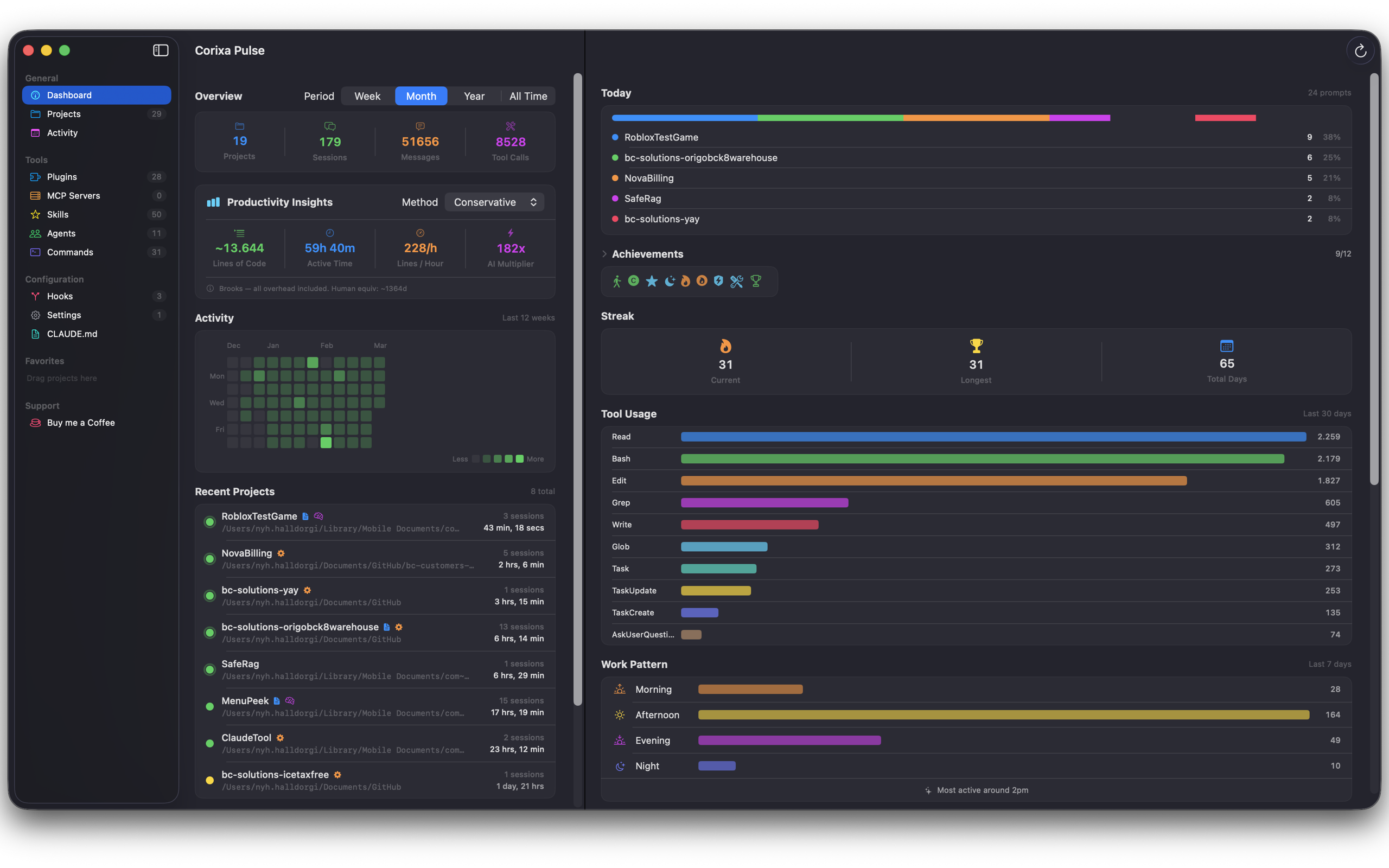
Achievements
Corixa Pulse tracks your Claude Code milestones and awards achievements as you hit them. There are 12 achievements to unlock:
| Achievement | Description |
|---|---|
| First Steps | Complete your first Claude Code session |
| Century | Reach 100 total messages |
| 1K Club | Reach 1,000 total messages |
| Night Owl | Use Claude Code between midnight and 5 AM |
| Early Bird | Use Claude Code between 5 AM and 7 AM |
| Week Warrior | Use Claude Code every day for 7 consecutive days |
| Monthly Machine | Use Claude Code every day for 30 consecutive days |
| Power Week | Send more than 500 messages in a single week |
| Tool Master | Reach 1,000 total tool calls |
| 10K | Reach 10,000 total messages |
| 100K | Reach 100,000 total messages |
| Supporter | Leave a tip via the tip jar |
Achievements and streaks tracking your Claude Code milestones
Configuration Visibility
Corixa Pulse reads your Claude Code configuration and displays what's installed and active. This gives you a single place to review your setup without digging through config files.
What You Can See
- Plugins — installed Claude Code plugins and their status
- Skills — custom slash commands registered in your configuration
- Agents — configured agent definitions
- Commands — custom CLI commands
- Hooks — pre-commit, post-commit, and other hook configurations
- MCP Servers — connected Model Context Protocol servers with their tools
Tool usage distribution and configuration overview
Settings Editor
View and edit your Claude Code settings file directly within Corixa Pulse. The editor provides:
- Syntax highlighting for JSON configuration
- Validation before saving
- Quick access without needing to find the file on disk
CLAUDE.md Editor
Edit your global and project-level CLAUDE.md files from within the app:
- Global CLAUDE.md — your
~/.claude/CLAUDE.mdfile, applied to all projects - Project CLAUDE.md — per-project instruction files, accessible from the Projects view
The editor supports Markdown preview so you can see how your instructions will look.
Support Page
The Support page provides tools for managing the app and supporting development.
Tip Jar
Corixa Pulse is free to use. If you find it valuable, the tip jar offers several tiers to support continued development. Tips are processed through the Mac App Store via StoreKit.
Data Export & Import
Manage your historical statistics data:
- Export — save all persisted statistics to a file for backup or transfer to another Mac
- Import — restore previously exported statistics, merging with existing data
See Statistics & History for more details on how data export and import works.