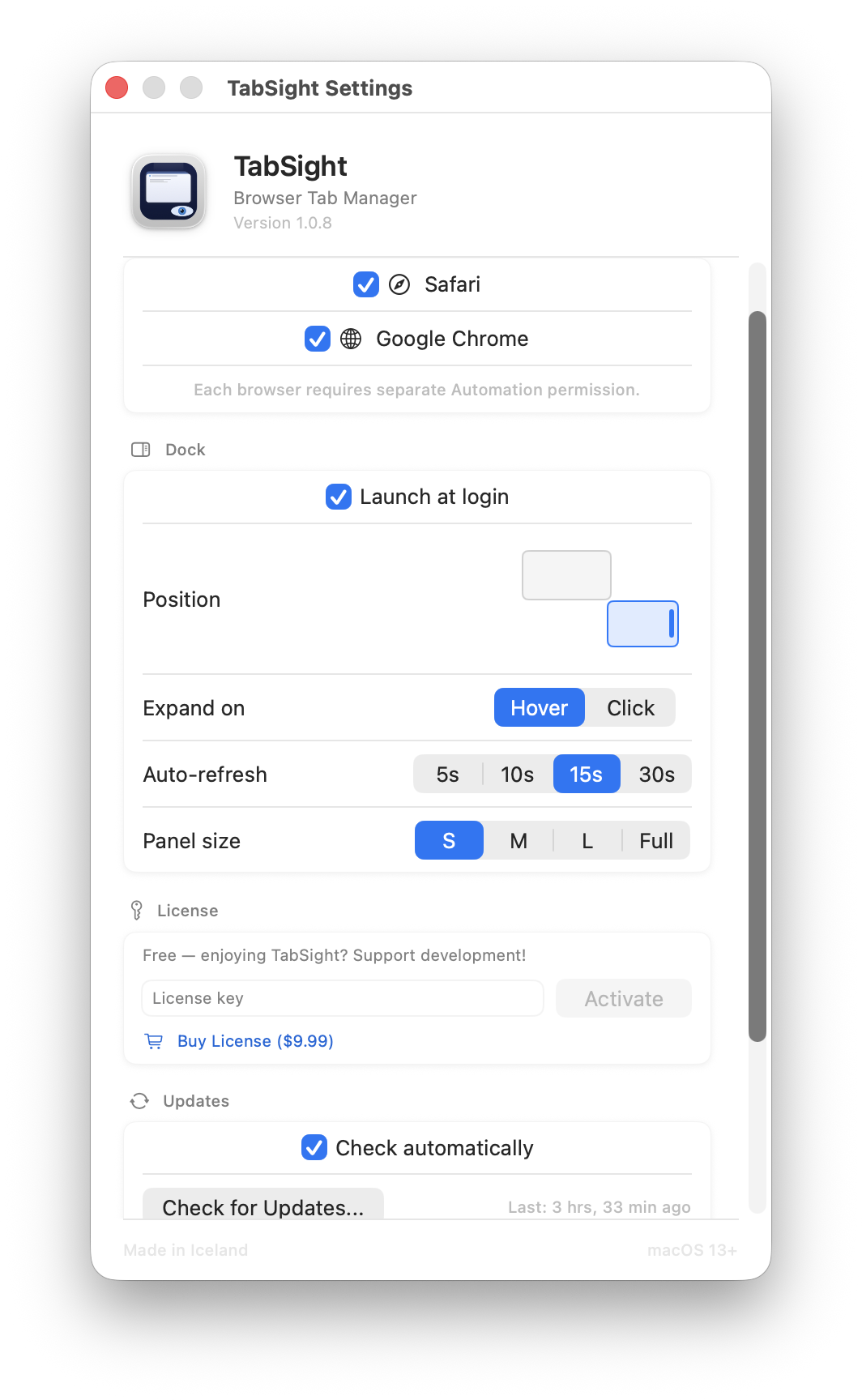
See all your Safari and Chrome tabs at a glance. Switch, search, and close tabs from a sleek floating dock — without leaving your current window.
Direct download · macOS 13+ · Privacy-First
A sleek panel on the edge of your screen. Expands on hover or click to show all your Safari and Chrome tabs.
One click to jump to any tab in any window. No fumbling through browser menus or Tab overview.
Designed to do one thing exceptionally well — give you control over your browser tabs without breaking your flow.
Find any tab instantly by typing part of its title or URL. Filters across all windows in real-time, in both grouped and compact modes.
Choose how you see your tabs — grouped by browser window or as a flat list. Switch between modes with one click.
Arrow keys to navigate, Enter to switch. Browse your entire tab list without touching the mouse.
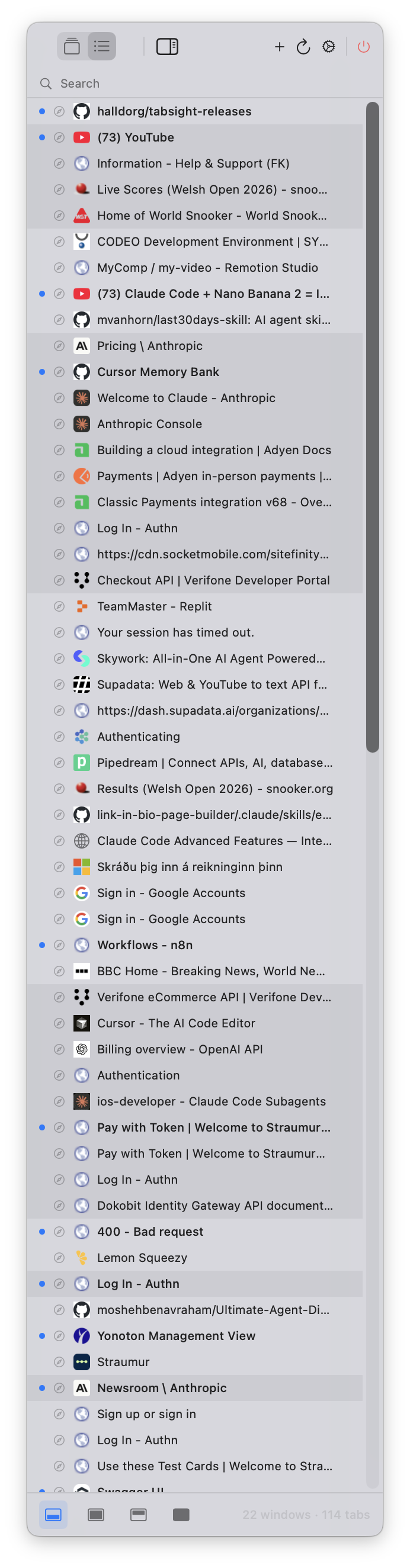
Every detail is adjustable. Set it once and TabSight stays out of your way.
Dock snaps to any screen edge — left or right. Visual picker shows your monitor layout.
Choose your interaction style. Hover to auto-expand or click to toggle. Set it once in Settings.
Tab list updates automatically while the dock is expanded. Choose 5s, 10s, 15s, or 30s intervals.
Small, medium, large, or full height. Pick the size that fits your workflow.
No internet, no accounts, no tracking. TabSight uses AppleScript to read your browsers — nothing leaves your Mac.
Dozens of tabs across multiple windows? TabSight gives you a bird's-eye view and one-click switching.
Keep track of research tabs spread across browser windows. Search to find any page instantly.
Jump between documentation, localhost, and Stack Overflow without hunting through your browser's tab bar.
TabSight is free to use with all features. If you find it useful, a one-time license supports continued development.
Free. Direct download. No App Store required.
Download TabSight DMGmacOS 13.0+ · Apple Silicon & Intel · Automation permission required
After installing, macOS will ask for Automation permission for each browser.
Grant access in
System Settings → Privacy & Security → Automation.
Browser tab access requires AppleScript, which needs Automation permission. The App Store sandbox blocks this. Direct distribution lets TabSight work as intended.
Never. TabSight is 100% local. It reads your browser tabs via AppleScript and displays them — nothing is sent anywhere. No analytics, no accounts, no internet required.
TabSight uses macOS AppleScript to query your browsers for their open windows and tabs. It displays them in a floating dock panel and can switch to or close any tab on your behalf.
TabSight includes a menu bar icon to toggle the dock. On macOS Tahoe (26), some status bar icons may be invisible due to a known system bug — but the dock panel works independently.
Yes. Automation permission only allows TabSight to communicate with your browsers via AppleScript. It cannot access files, passwords, or browsing history — only window and tab titles/URLs.