Skip to content

macOS 15.0+

Everything you save, in one calm library.

Corixa captures pages and videos from Safari and Chrome, syncs your YouTube subscriptions and playlists, and summarizes the long ones — in a native Mac app.

Free · optional Pro · macOS 15 or later · Available on the Mac App Store
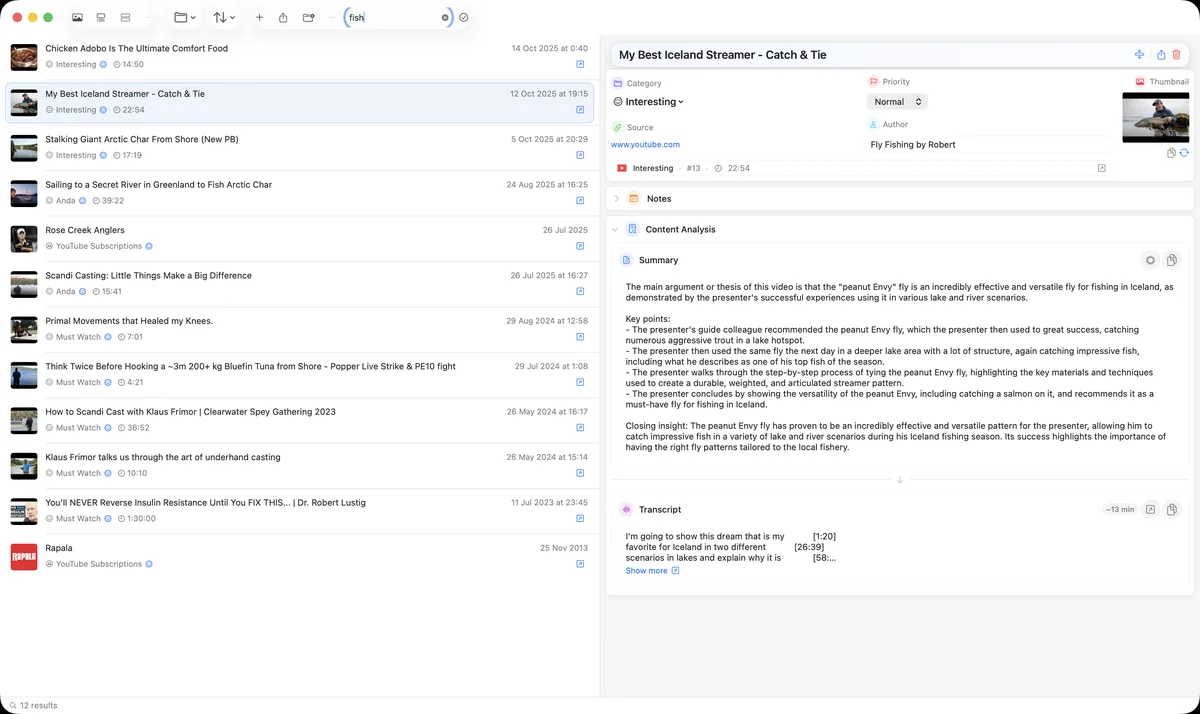
Corixa library: saved YouTube videos in a list, the selected video's details and its summary on the right
Every item with its category, notes, transcript and summary.
01

Universal Content Capture

Save web pages, YouTube videos, documents, images, and notes. Our browser extensions for Safari and Chrome make capturing content instant.

02

YouTube Integration

Sync your YouTube playlists and subscriptions with just a free Google account. No premium subscription needed - save videos with full metadata and organize your entire video library.

03

AI-Powered Intelligence

Get automatic content summaries powered by Claude and Gemini. Extract key insights, metadata, and transcripts without lifting a finger.

04

Smart Organization

Create custom categories with icons and colors. Set priority levels, group content your way, and find anything instantly with full-text search.

05

Browser Extensions

Save content without leaving your browser. Safari extension included with the app. Chrome extension available on Chrome Web Store. Chrome setup guide.

06

Native macOS Experience

Built with SwiftUI for the Mac. Status bar integration, drag & drop support, keyboard shortcuts, and beautiful light/dark themes.

07

Backups

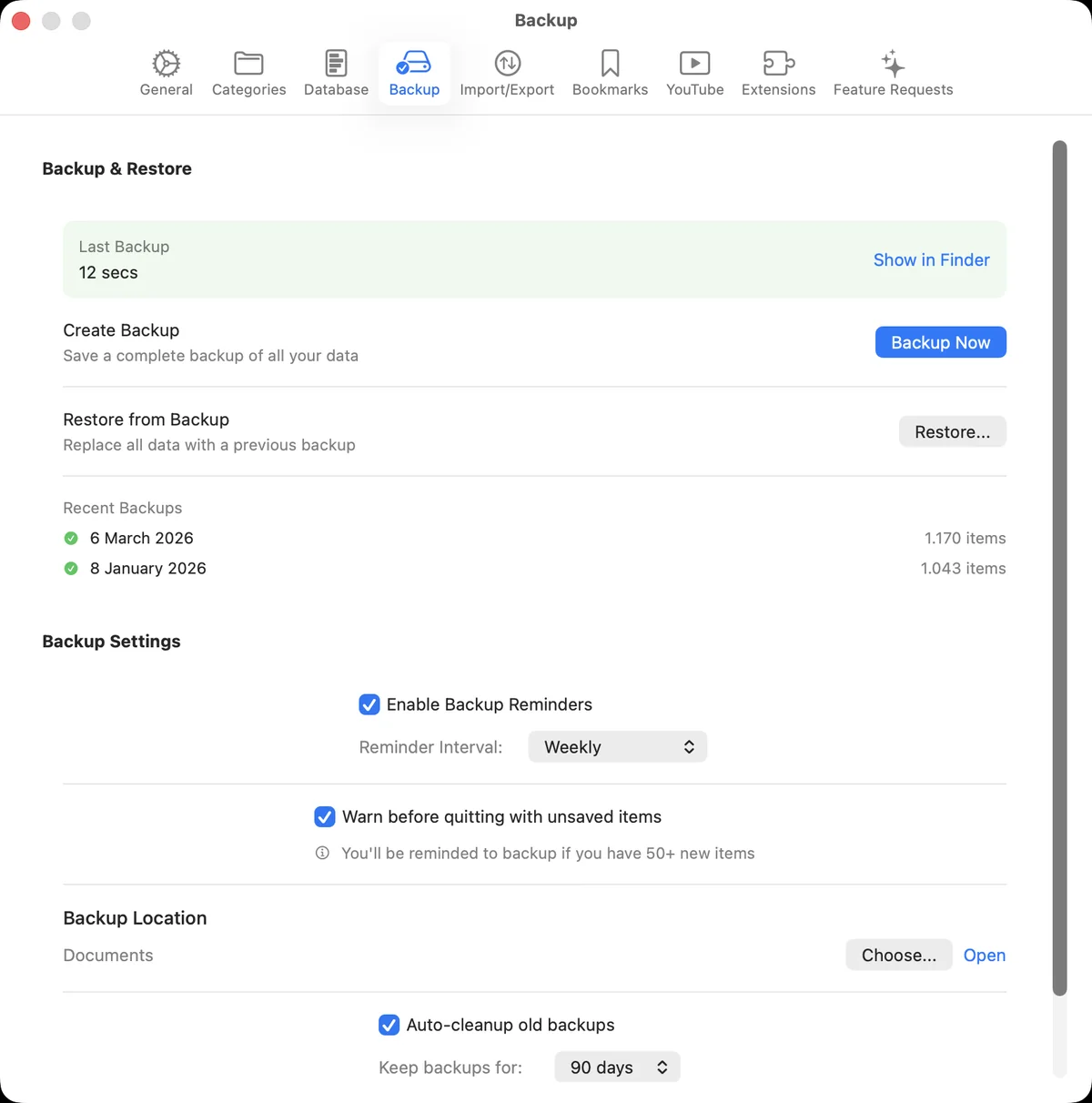
Complete library backups in a future-proof format, with weekly, fortnightly or monthly reminders.

01

Perfect For

Researchers & Students

Collect sources, save research papers, and organize your digital library with AI-powered summaries.

Knowledge Workers

Save important articles, track industry news, and build your personal knowledge base.

Content Creators

Organize YouTube videos, track inspiration, and manage your content research all in one place.

02

What's included

  • YouTube subscription & playlist sync
  • Browse videos from all subscribed channels
  • Safari extension (included)
  • Chrome extension (available now)
  • AI-powered summaries
  • Complete library backups
Screens

See Corixa in action

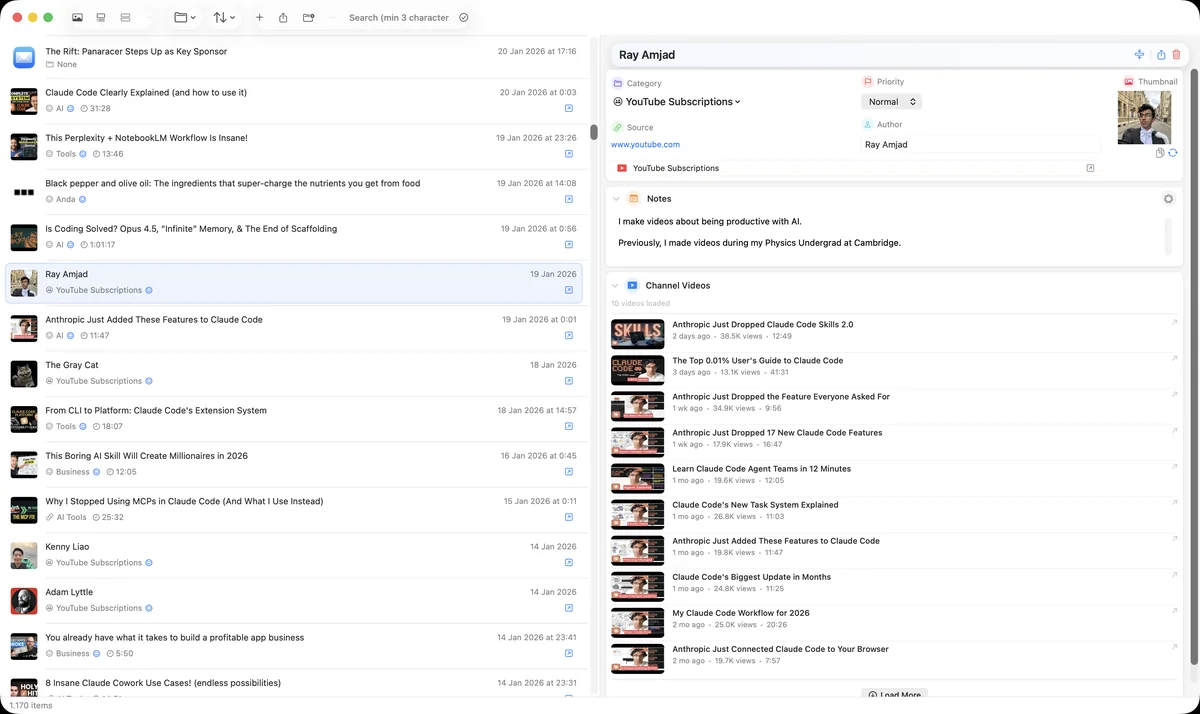
Corixa showing a saved video next to the latest uploads from its channel
Channel videosBrowse a channel's latest uploads right next to what you saved.
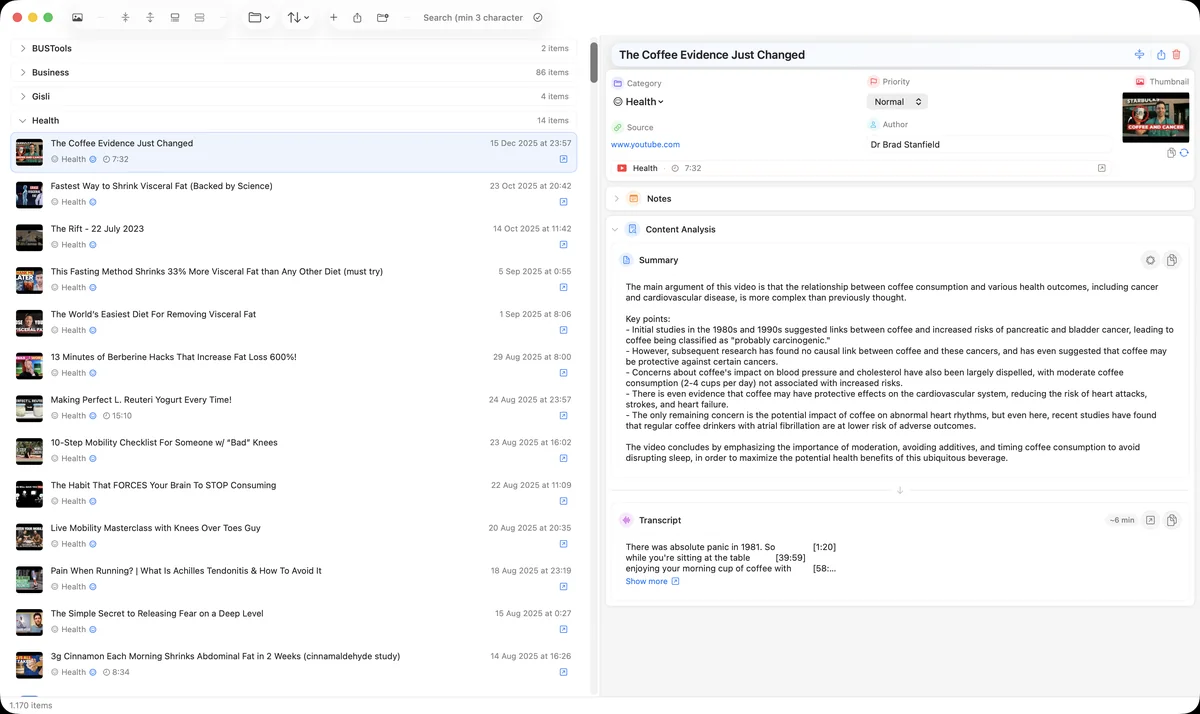
Corixa filtered to a Health category with a summary open
CategoriesCategories with their own icon and colour keep topics apart.
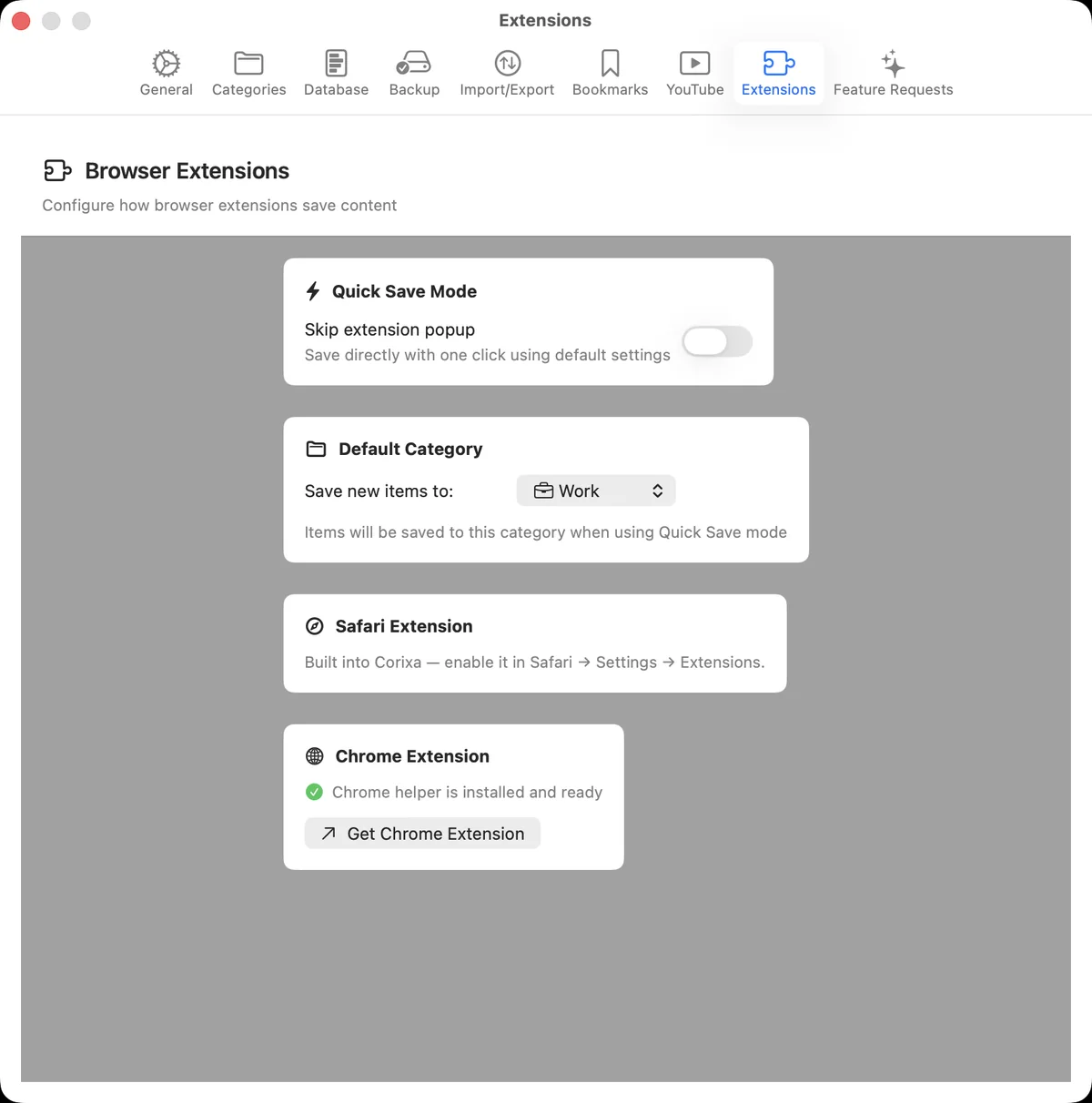
Corixa settings for the Safari and Chrome extensions and Quick Save mode
Browser extensionsSafari is built in; Chrome is one install away. Quick Save skips the popup.
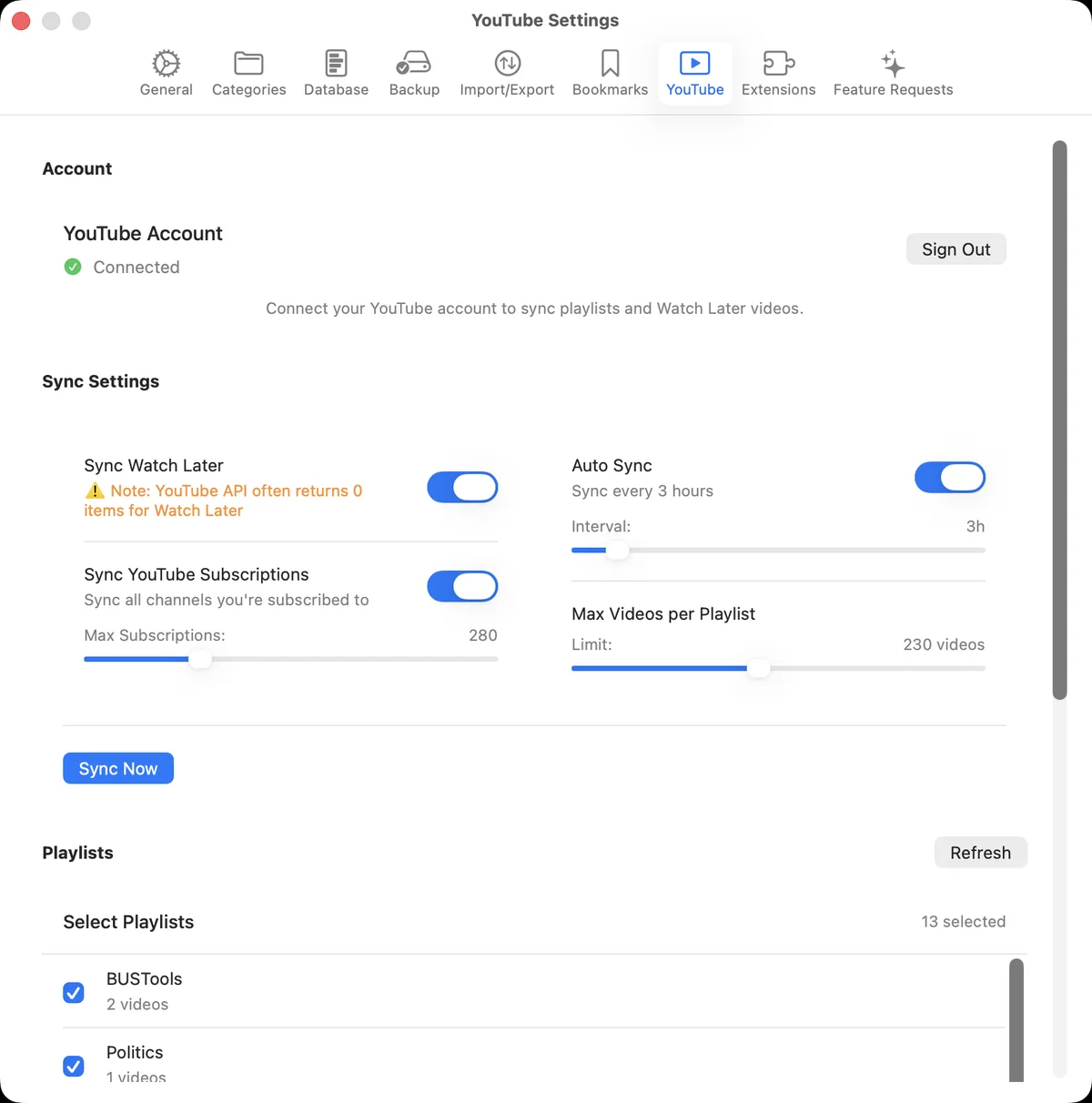
Corixa YouTube settings with account, subscription sync and playlist selection
YouTube syncChoose which playlists sync and how often.
Corixa backup settings with reminders and backup location
BackupsFull-library backups with reminders and automatic clean-up.
FAQ

Questions

How do I sync my YouTube subscriptions to Mac?
Simply sign in with your free Google account in Corixa, and your YouTube subscriptions will sync automatically. You can browse all your subscribed channels and their recent videos directly in the app. No YouTube Premium required.
Can I sync YouTube playlists to my Mac?
Yes. Corixa syncs the YouTube playlists you choose, so you can organize and browse them in Corixa, even offline. YouTube's API doesn't reliably expose Watch Later, so a playlist of your own (for example “To Watch”) is the dependable way to queue videos.
Do I need YouTube Premium to use Corixa?
No! Corixa works with any free Google/YouTube account. Just sign in with the same account you use for YouTube, and you'll have full access to sync your subscriptions, playlists, and video library.
Can I browse videos from my YouTube subscriptions?
Yes! Corixa shows you recent videos from all your subscribed YouTube channels in one unified view. You can filter by channel, save videos to custom categories, and never miss content from your favorite creators.
What else can I save besides YouTube videos?
Corixa can save web pages, emails, PDFs, images, documents, and notes. Use our Safari and Chrome browser extensions to save any web content with a single click, and get AI-powered summaries automatically.

Start your library. A Mac library for the pages, videos and notes you mean to come back to.