The Photo Date & Location Editor

Fix dates and locations in your Apple Photos library. That's it. We do two things, and we do them extremely well. Batch editing, full change history, and one-click revert.

Available on the Mac App Store | Requires macOS 15.0+ | Privacy-First

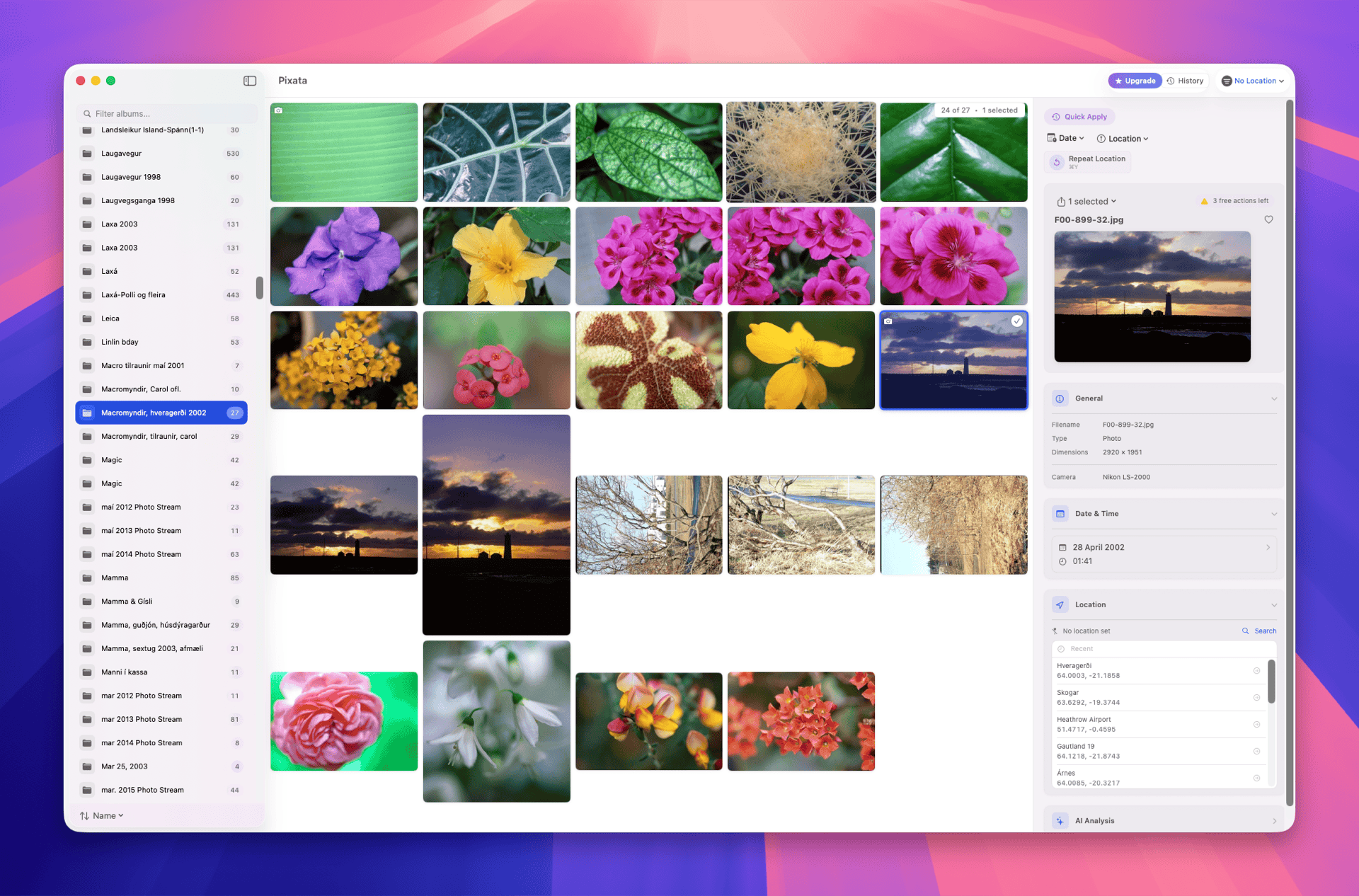
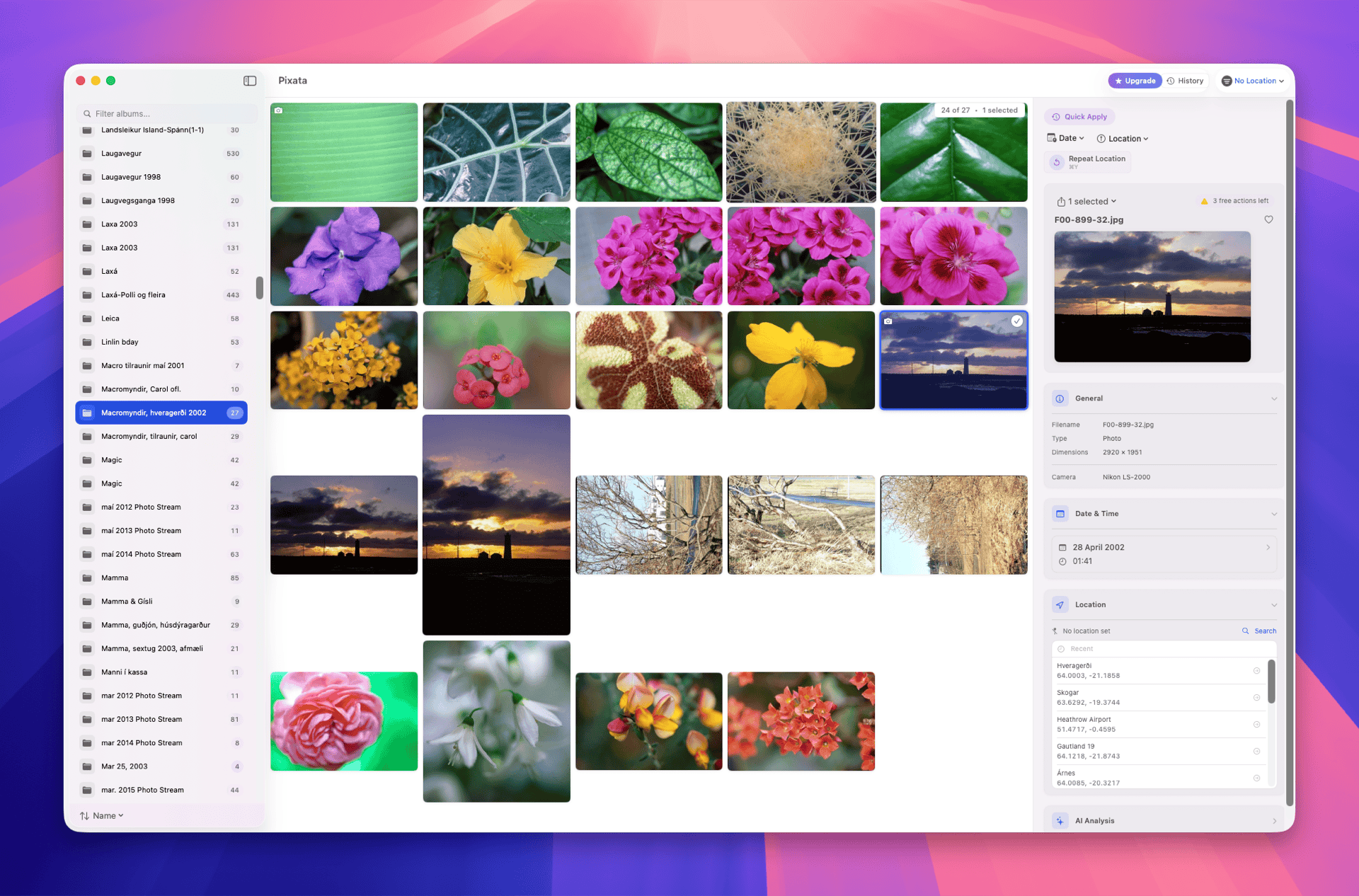
Pixata - Photo metadata editor showing the main interface with photo library, date editing, and location tools

Two Things. Done Right.

Pixata edits dates and locations in your photos. Nothing else. No bloat, no complexity - just the tools you need to fix your photo library.

Dates

Set exact dates, shift by hours/days, parse from filenames. Fix time zones from travel. Batch edit thousands at once.

Locations

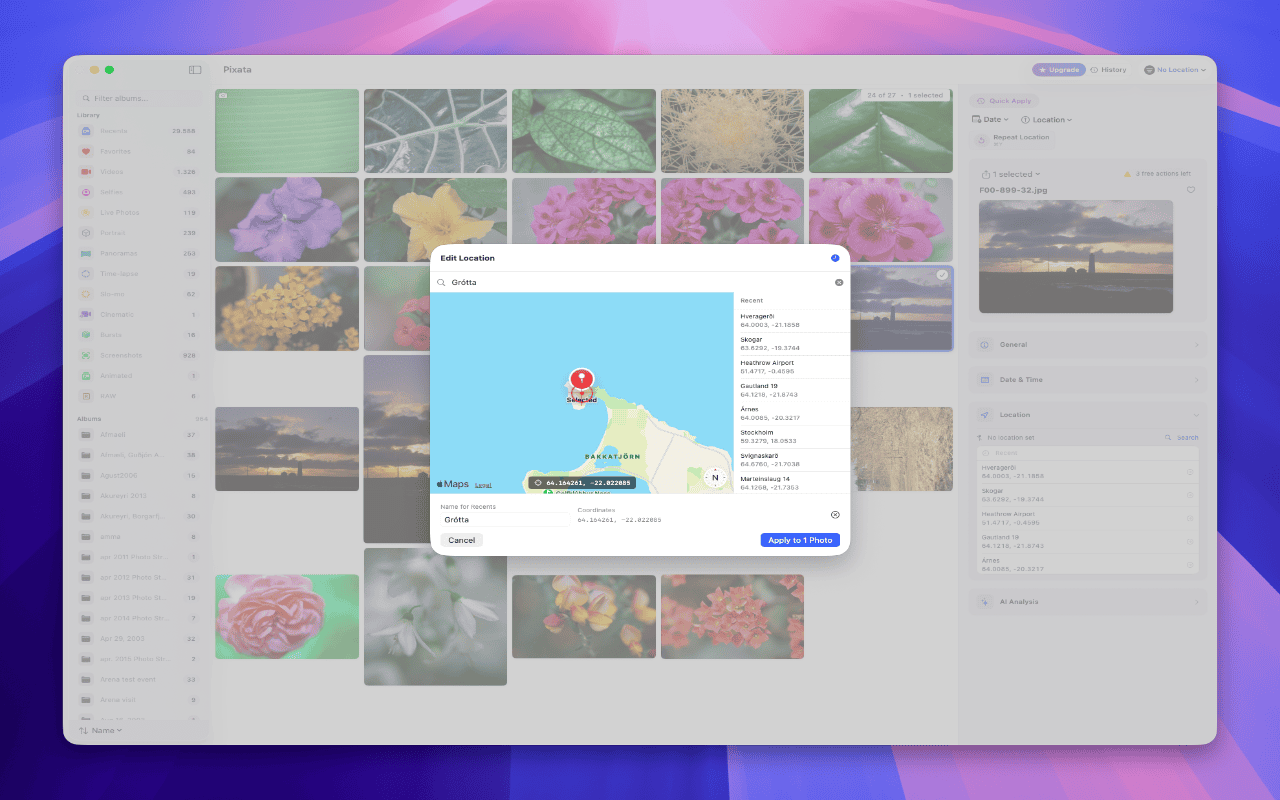
Add GPS coordinates via map picker. Remove location data for privacy. Batch apply to entire trips.

What Sets Pixata Apart

These aren't just features - they're the reason Pixata exists. Edit with confidence knowing you can always go back.

Quick Apply & Favorites

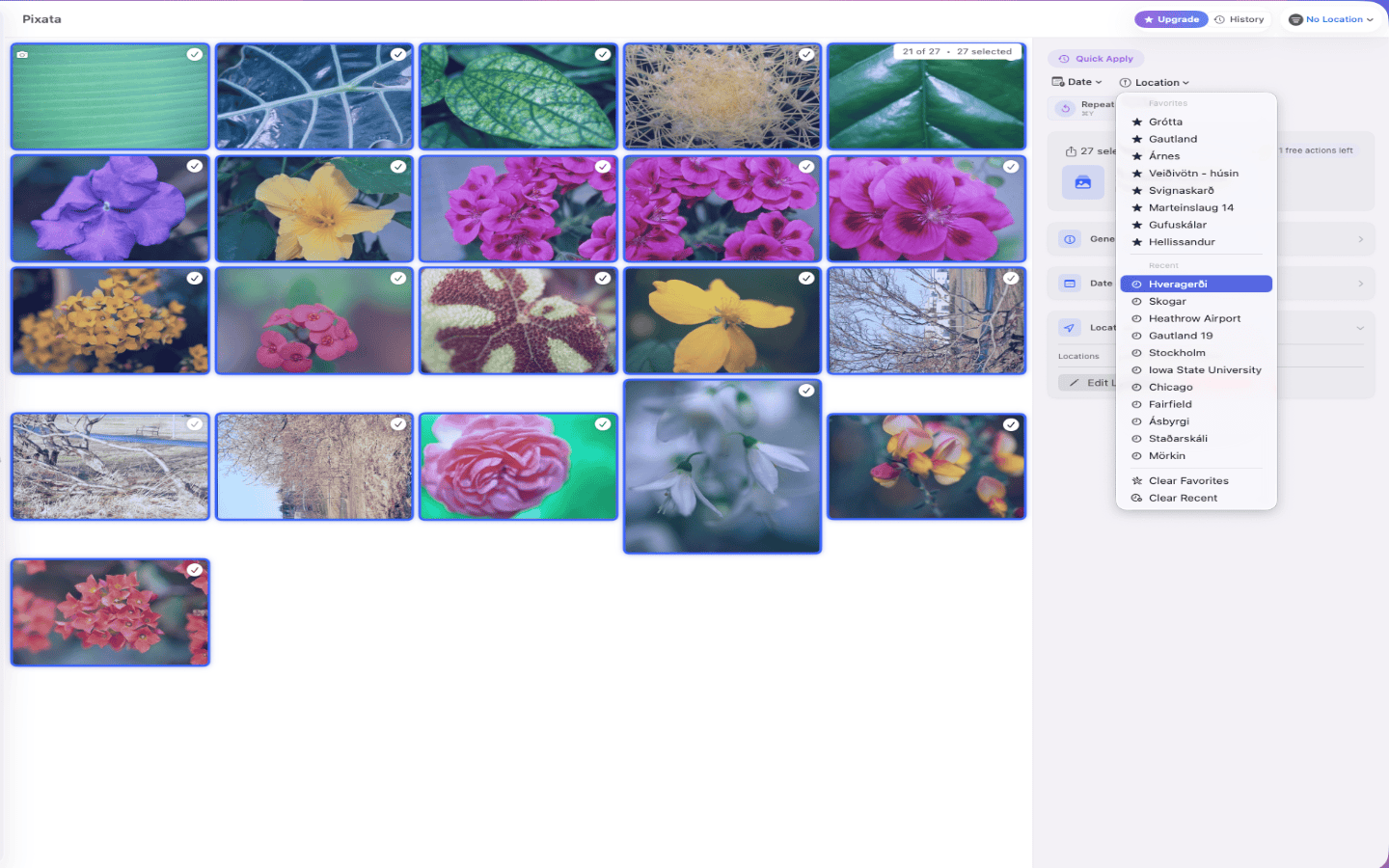
Save your commonly used dates and locations. Apply them to any photo with one click.

  • Save favorite dates (birthdays, events, trips)
  • Save favorite locations (home, office, venues)
  • Recent locations auto-saved for quick reuse
  • Press ⌘Y to repeat your last action

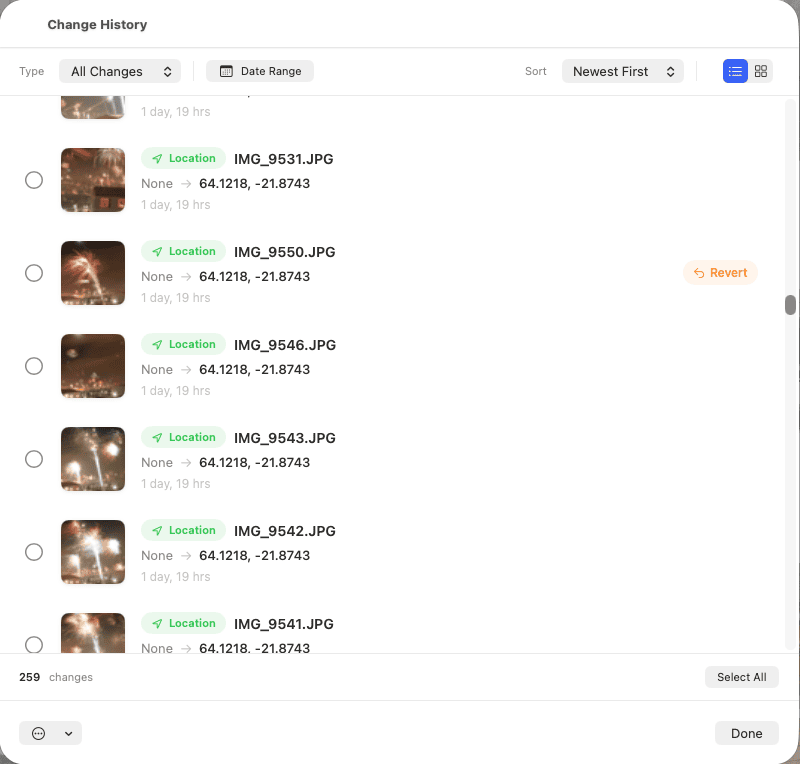
Change History & Revert

Every edit is logged permanently. Browse your history and revert any change with one click.

  • Full audit trail of every change
  • Filter by date changes or location changes
  • One-click revert for any single change
  • Batch revert multiple changes at once
  • Press ⌘Z for instant undo

More Features

Batch Operations

Select multiple photos and edit them all at once. Shift dates by duration, apply the same location to an entire trip.

Filename Parser

Extract dates from filenames automatically. Supports WhatsApp, Instagram, and custom formats.

Native Photos Integration

Works directly with Apple Photos via PhotoKit. No imports, exports, or duplicates. Changes sync across devices.

100% Local

Everything happens on your Mac. No cloud, no internet, no account required. Your photos never leave your library.

See Pixata in Action

Pixata three-pane layout showing album sidebar, photo grid, and metadata panel

Three-Pane Layout

Browse your library, select photos, and edit metadata all in one view

Pixata batch date editing interface with date picker and shift controls

Batch Date Editing

Set exact dates or shift multiple photos at once

Pixata map location picker for adding GPS coordinates to photos

Map Location Picker

Add GPS coordinates with an interactive map

Pixata Change History showing all edits with one-click revert

Change History

Track every edit with thumbnails, before/after values, and one-click revert

Perfect For

Travel Photographers

Fix time zone issues from international trips. Geotag photos from GPS tracks. Organize by destination automatically.

Digital Archivists

Organize decades of photos with proper dates. Parse dates from scanned photo filenames. Build a searchable family archive.

Power Users

Batch operations across thousands of photos. Smart rules for repetitive workflows. Complete control over your metadata.

Simple, Transparent Pricing

Try everything free. Upgrade when you're ready.

Free Trial

40
free actions
  • Full app functionality
  • Edit dates and locations
  • Batch operations
  • Change history & revert
  • Filename parsing
Get on App Store

Pro Yearly

$9.99
per year
  • Unlimited actions
  • All features unlocked
  • Priority support
  • Cancel anytime
Get on App Store

Ready to Fix Your Photo Library?

Get Pixata on the Mac App Store

40 free actions. Upgrade to Pro for unlimited use.

Download on the Mac App Store

macOS 15.0+ | Apple Silicon & Intel

Free Online Tools

Try our free browser-based photo utilities. No uploads, no accounts - everything happens right in your browser.

HEIC Converter

Convert Apple HEIC photos to JPEG

Metadata Viewer

View EXIF data and photo locations

Image Compressor

Reduce image file sizes up to 80%

View all free tools →

Frequently Asked Questions

What does Pixata edit?

Dates and locations. That's it. We don't edit titles, keywords, captions, ratings, or any other metadata. Pixata is purposefully focused - we'd rather do two things right than ten things halfway.

Why only dates and locations?

Because those are the two metadata fields that matter most and are hardest to fix. Wrong dates break your timeline. Missing locations mean lost memories. Other apps try to do everything - we chose to nail these two.

Can I undo my changes?

Yes! Every change is logged to a persistent change history. Browse all changes, filter by type or date, and revert any change with one click. Cmd+Z works too. You can even batch revert multiple changes at once.

Does Pixata modify my original photos?

Pixata works through Apple's PhotoKit API - the same technology Apple uses. Changes are made safely within your Photos library. Your originals remain protected, and changes sync across your devices.

Why is Pro so affordable?

$19.99 for lifetime access is fair pricing for a focused tool that does its job well. Similar tools charge $30-50 or require expensive subscriptions. Pay once, own it forever. The annual option at $9.99/year is there if you prefer flexibility.

Can I try before buying?

Yes! You get 40 free actions to try everything. No feature restrictions, no watermarks - just a generous trial to make sure Pixata works for you.

Do I need Apple Photos?

Yes, Pixata is designed specifically for Apple Photos libraries. This deep integration means non-destructive editing without duplicates or exports.

Is my data sent anywhere?

Never. Everything happens locally on your Mac. No internet required, no accounts, no cloud. Your photos stay in your library.