Claude Code Dashboard for macOS
A native macOS app for viewing and editing your Claude Code configuration. See usage stats, browse projects, edit hooks and settings, manage MCP servers — all from one window.
Available on the Mac App Store · macOS 14+ · Free with tip jar · Privacy-first
Key Features
Everything you need to understand and configure Claude Code, without touching the terminal
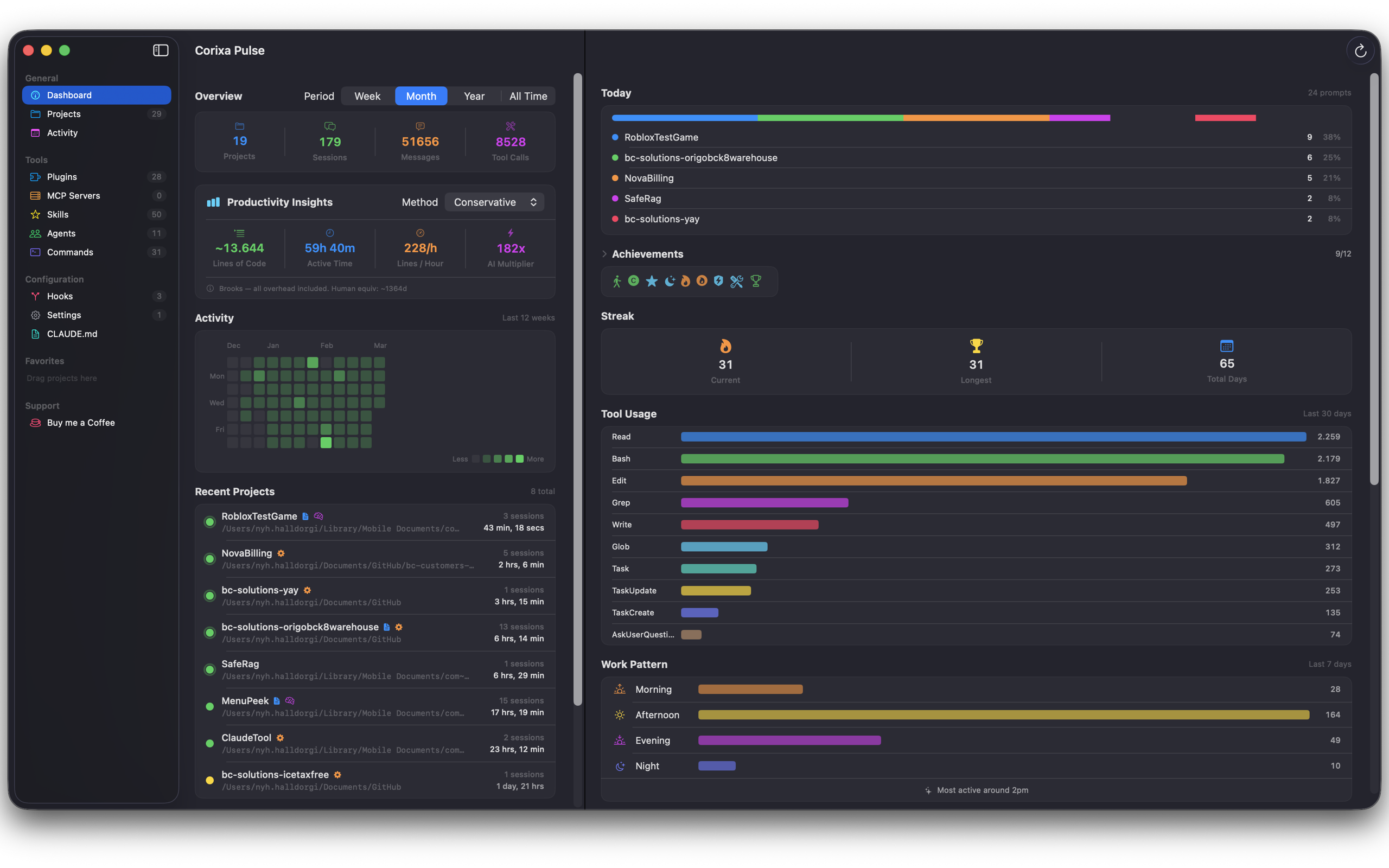
Dashboard & Analytics
See your Claude Code usage at a glance — session counts, token usage, cost tracking, and achievements. An activity calendar shows your coding patterns over time.
Project Browser
Browse all your Claude Code projects and their session history. See which projects you've worked on, when, and how much. Jump to any project's configuration in one click.
Configuration Editor
Edit CLAUDE.md files, hooks, and settings directly. Syntax-highlighted editors with validation so you can configure Claude Code without memorizing file paths or JSON schemas.
MCP & Tools Manager
View all your MCP servers, plugins, skills, and agents in one place. See which tools are available, their configuration, and status.
Live Updates
File watching keeps everything in sync. When Claude Code creates new sessions or you edit config files externally, Pulse updates automatically.
Perfect For
Claude Code Power Users
You live in the terminal but want a visual overview of your usage, projects, and configuration without digging through dotfiles.
Team Leads
Understand how Claude Code is being used across projects. Review hooks, settings, and MCP configurations to maintain team standards.
New Users
Getting started with Claude Code? Pulse makes configuration visual and approachable — no need to learn file structures first.
Frequently Asked Questions
What is Corixa Pulse?
Corixa Pulse is a native macOS app that gives you a visual dashboard for your Claude Code configuration. It reads your Claude Code files and presents them in an organized interface — usage stats, project browser, hooks editor, MCP server viewer, and more.
Does Corixa Pulse require Claude Code?
Yes. Corixa Pulse reads the configuration files that Claude Code creates on your Mac. Without Claude Code installed, there won't be any data to display. Pulse is a companion app, not a replacement.
Is my data private?
Absolutely. Corixa Pulse runs entirely on your Mac. It reads local files and never sends any data to external servers. No analytics, no accounts, no cloud — everything stays on your machine.
Is it free?
Yes. Corixa Pulse is free to download and use with all features. An optional tip jar is available if you'd like to support continued development.
Can I edit configuration with Pulse?
Yes. Pulse includes editors for CLAUDE.md files, hooks, and settings. Changes are written directly to the appropriate files, so Claude Code picks them up immediately.
Available Now on the Mac App Store
Download Corixa Pulse for free and take control of your Claude Code configuration.