AI That Passes the Audit

SafeRag is the AI tool built for regulated industries. HIPAA and GDPR compliant out of the box — full audit logging, AES-256 encryption, role-based access control. All processing stays on your Mac. No cloud, no data processors, no compliance risk.

Requires macOS 14.0 or later • Built with SwiftUI • Powered by Ollama

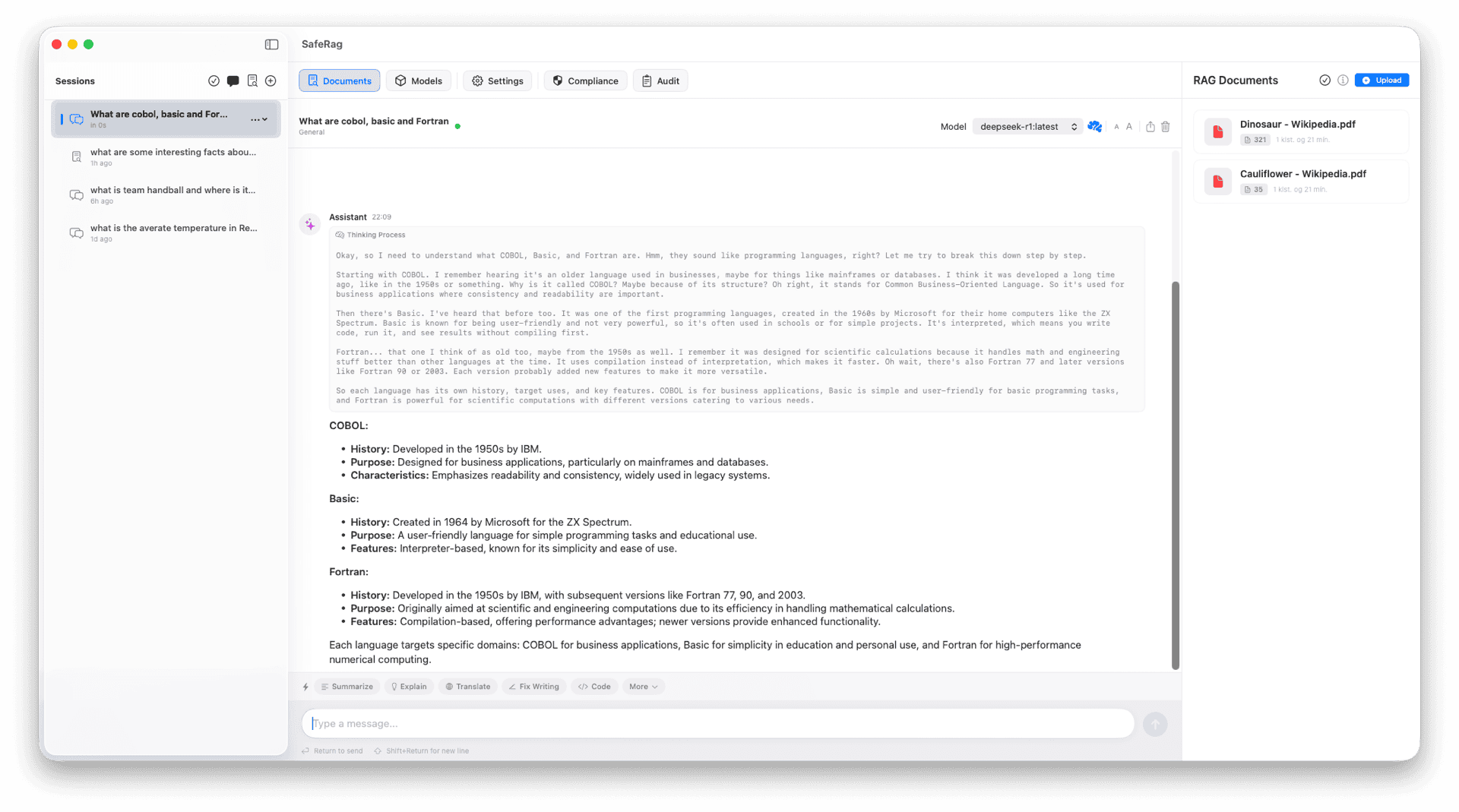
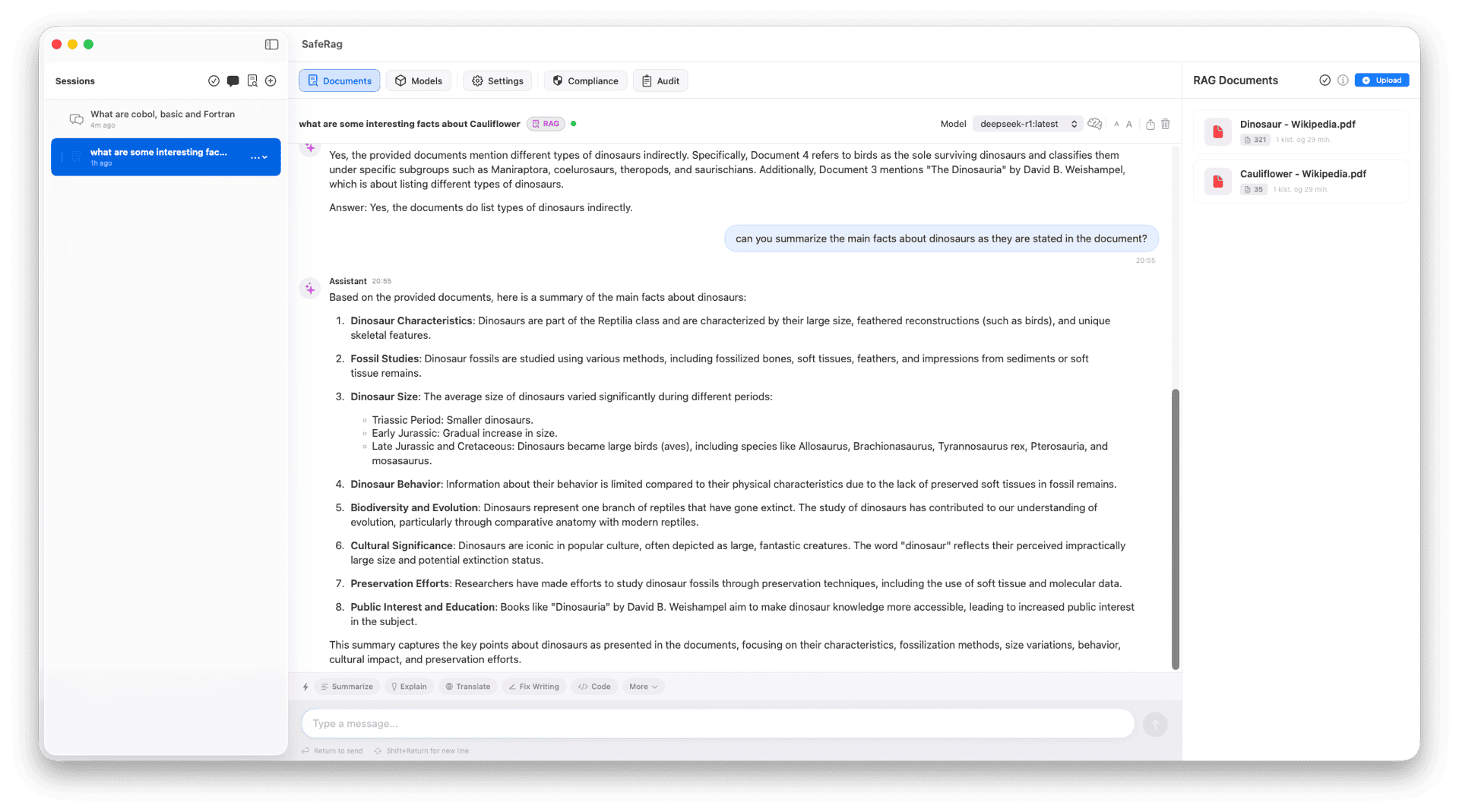
SafeRag Chat Interface

Built for Industries Where Privacy Isn't Optional

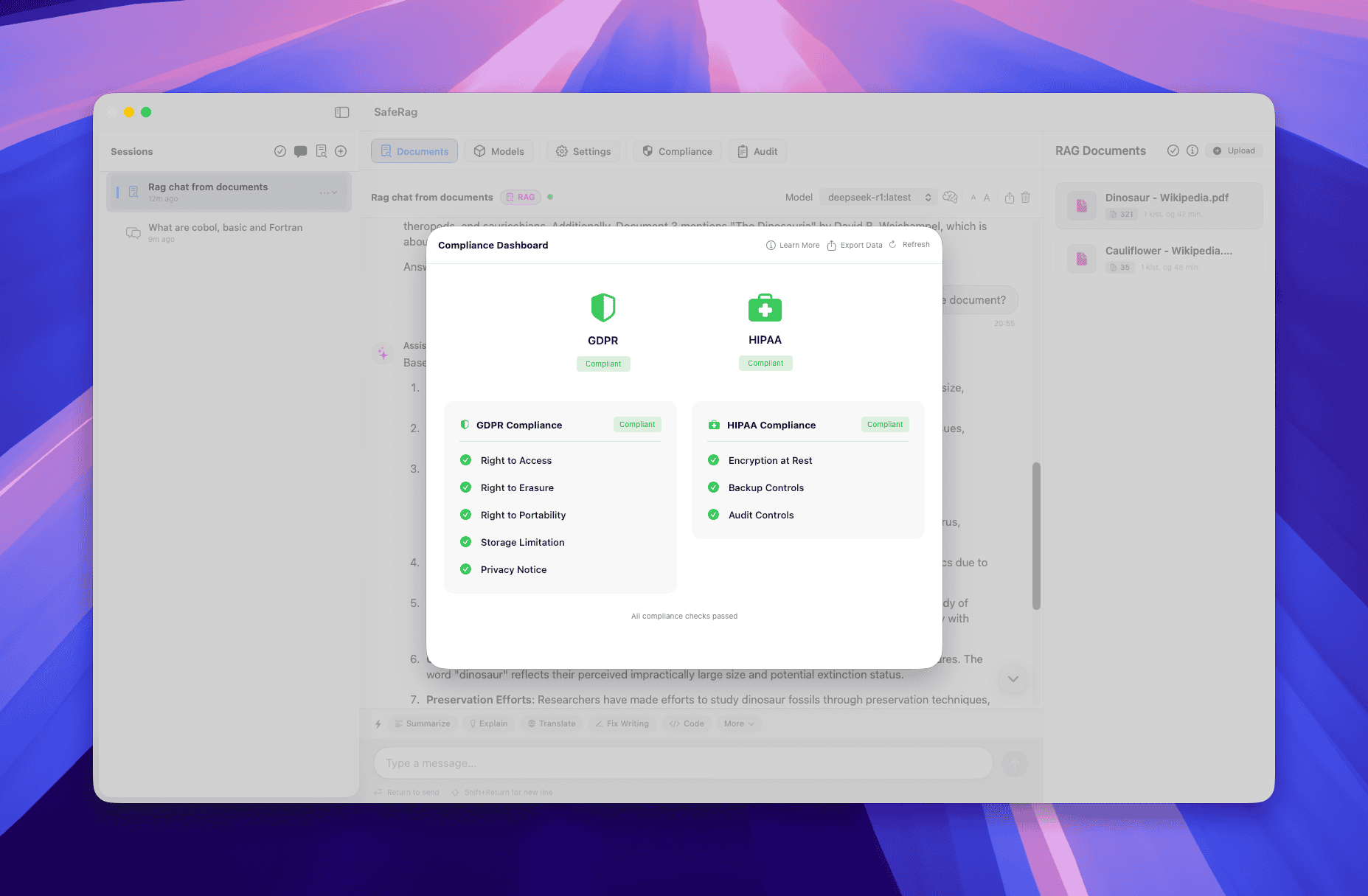
GDPR & HIPAA Compliance

Purpose-built for regulated industries. Complete audit logs, data export, right to deletion, encryption status reporting, and zero third-party data processors. No BAA required — your data never leaves your Mac.

Complete Audit Trail

Every action logged. Track document access, chat sessions, user activity, and data modifications. Export audit reports for compliance reviews. Your auditor will thank you.

100% Local Processing

The foundation of compliance. All AI processing runs on your Mac via Ollama. No cloud connections, no data transmission, no third-party risk. Works in air-gapped environments.

RAG Document Intelligence

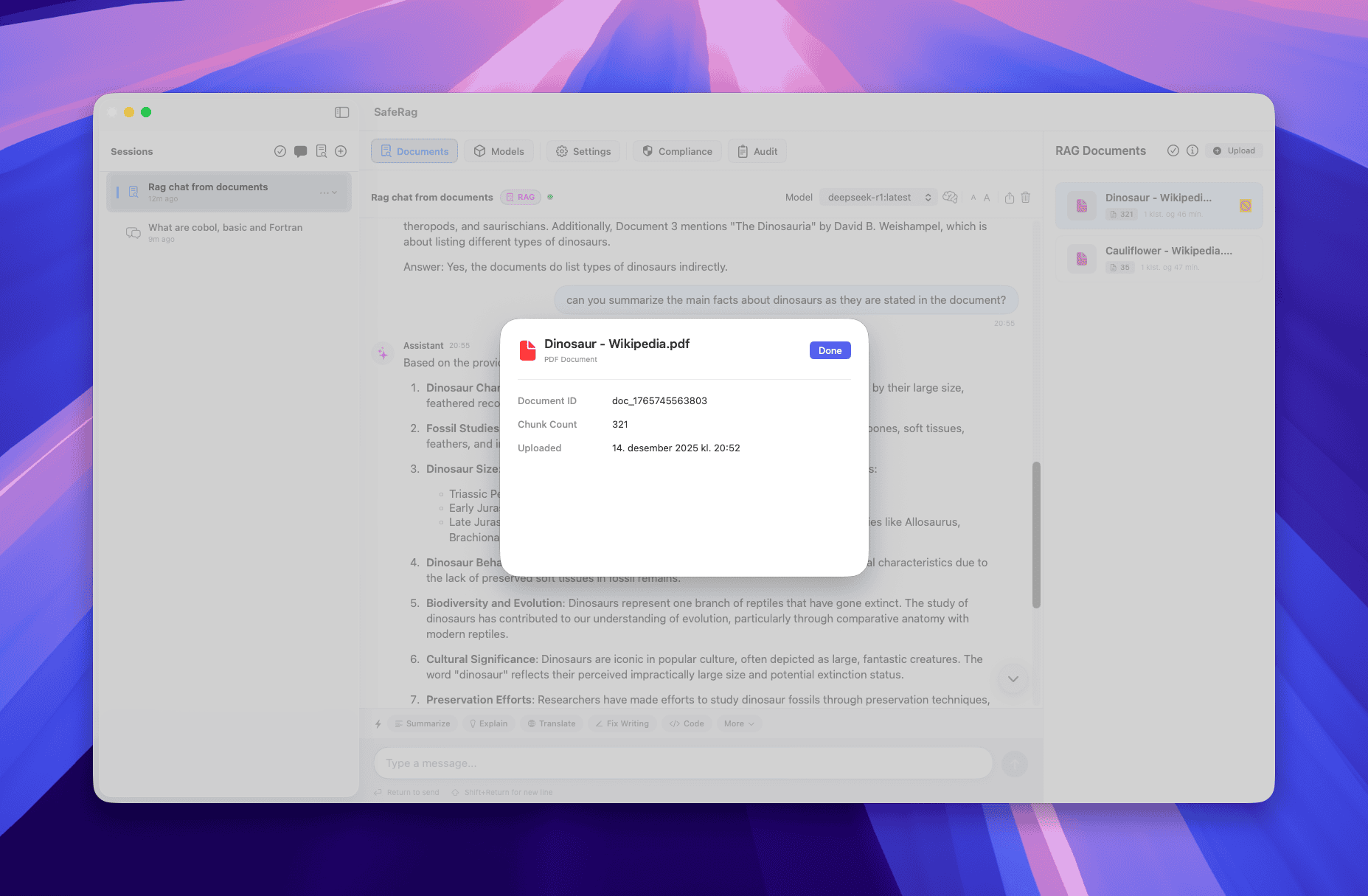
Upload confidential documents (PDF, DOCX, TXT, MD) and query them with AI. Vector search and context-aware responses — all processed locally. Attorney-client privilege and patient confidentiality preserved.

Multi-User with RBAC

Role-based access control for teams. Admin, user, and viewer roles with isolated data. Each user gets their own private sessions and documents. Perfect for shared workstations in clinics or law firms.

Watch Folder Auto-Ingestion

Point SafeRag at document folders and automatically index new files as they arrive. Build a compliant, searchable knowledge base with zero manual effort.

See SafeRag in Action

Getting Started is Simple

1

Install SafeRag

Download SafeRag for macOS. The app automatically installs Ollama if needed and helps you download your first AI model.

2

Create Your Account

Set up your local account (first user gets admin privileges). Everything runs locally on your Mac—no cloud registration required.

3

Start Chatting Privately

Upload documents for RAG intelligence, choose your AI model, and start having private conversations that never leave your Mac.

Trusted by Regulated Industries

Healthcare & HIPAA

Use AI with patient records, clinical notes, and medical literature without HIPAA violations. No PHI leaves your device. No BAA complexity. Full audit trail for compliance reviews.

Legal & Privilege

Analyze contracts, case files, and legal research with AI while maintaining attorney-client privilege. No cloud exposure of confidential client data.

Financial & SOX

Process financial reports, compliance documents, and proprietary analysis with AI. Meet SOX and internal audit requirements with complete activity logging.

Government & Defense

Air-gapped capable. Process classified or sensitive documents with AI that never phones home. Full audit trail for security reviews.

Ready to Use AI Without the Compliance Risk?

Download SafeRag for macOS

Join healthcare, legal, and enterprise professionals who use AI without compromising their compliance obligations.

Download Now

Version 1.0 • macOS 14.0+

What's included:

  • ✓ Full app with all features
  • ✓ Multi-user support with RBAC
  • ✓ Advanced RAG document intelligence
  • ✓ GDPR & HIPAA compliance features
  • ✓ Model management for Ollama
  • ✓ Complete audit logging
  • ✓ Watch folder automation

Frequently Asked Questions

Is it really GDPR and HIPAA compliant?

Yes. SafeRag processes everything locally on your Mac. There are no cloud connections, no data processors, and no third-party risk. The app includes complete audit logging, data export, right to deletion, encryption status reporting, and zero third-party data processors. No BAA required — your data never leaves your Mac.

Do I need a Business Associate Agreement (BAA)?

No. Since SafeRag processes everything locally and never transmits data to third parties, there is no "business associate" relationship. This eliminates BAA complexity entirely.

How do I prove compliance to auditors?

SafeRag includes built-in audit logging that tracks all user activity, document access, and data operations. Export comprehensive audit reports at any time. The compliance dashboard provides real-time encryption status and data residency verification.

Can SafeRag run in an air-gapped environment?

Yes. After initial model download, SafeRag operates fully offline. No internet connection required for AI processing, document analysis, or any core functionality.

How is SafeRag different from ChatGPT or Claude?

Cloud AI services like ChatGPT and Claude process your data on remote servers, creating compliance risk for regulated industries. SafeRag runs entirely on your Mac using local AI models. No data leaves your device, no third-party processing, no compliance risk.

How does RAG document intelligence work?

Upload documents and SafeRag creates local vector embeddings. When you ask questions, the app finds relevant document sections and includes them as context for AI responses.

What AI models can I use?

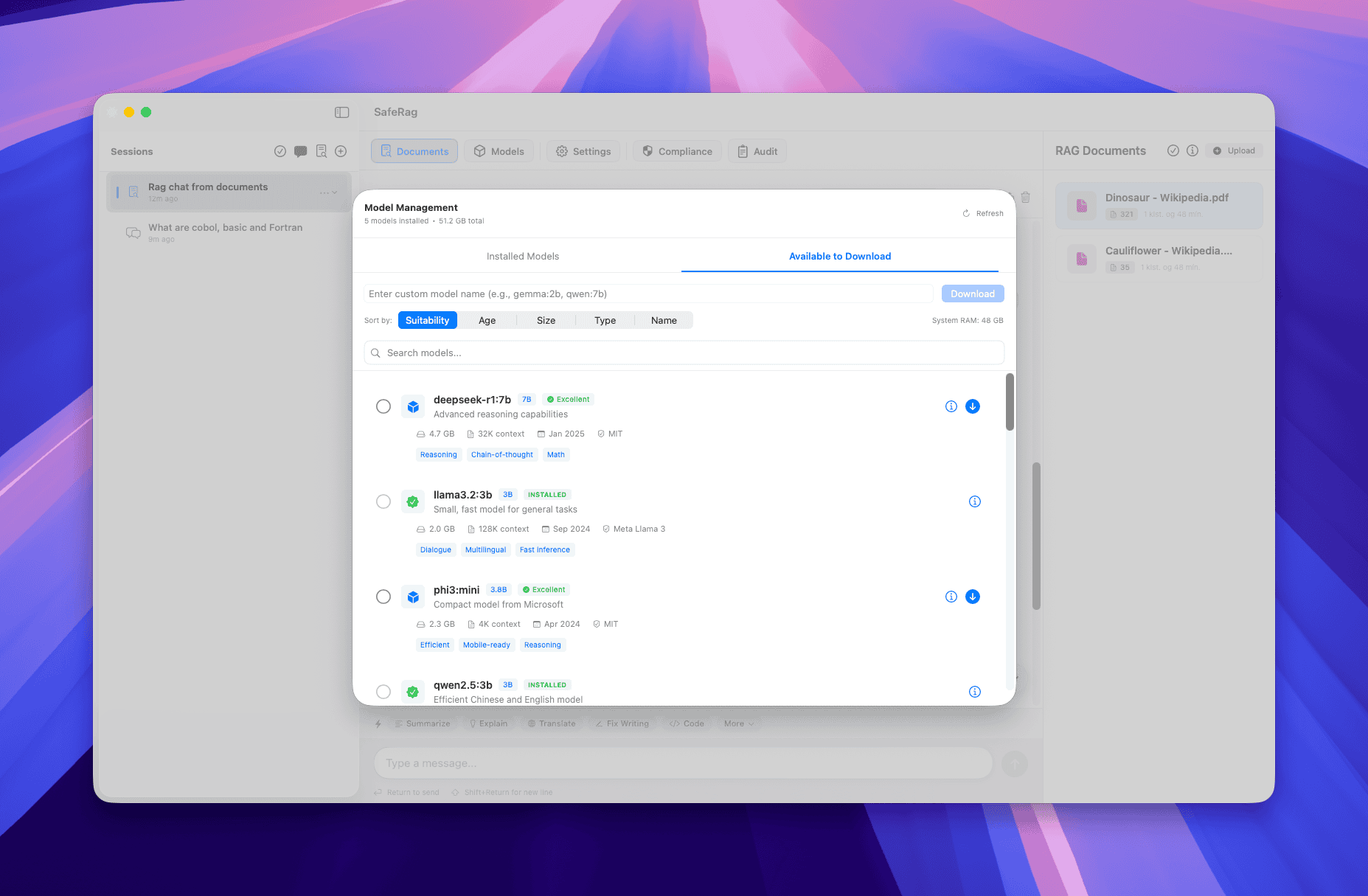
SafeRag supports all Ollama models including Llama 3.2, Mistral, Gemma, and many more. You can download and switch between models instantly within the app.

Do I need Ollama installed?

SafeRag includes one-click Ollama installation and model management. The app guides you through downloading your first AI model. Everything is automated.

Can multiple people use SafeRag on the same Mac?

Yes! Multi-User mode with role-based access control supports admin, user, and viewer roles. Each user gets their own private chat history and documents with isolated data. Perfect for shared workstations in clinics, law firms, or enterprise environments.

What are the system requirements?

SafeRag requires macOS 14.0 or later and an Apple Silicon Mac (M1/M2/M3/M4) with at least 8GB RAM. Intel Macs are not supported.

Is there a mobile version?

Currently SafeRag is macOS-only. An iOS companion app for viewing chat history is on our roadmap.
Open Source Acknowledgments

SafeRag is built with the help of these excellent open source projects. We're grateful to their maintainers and contributors.

Ollama

Local AI model runtime that powers SafeRag's private AI capabilities.

ollama.ai MIT License

Bun

Fast JavaScript runtime powering SafeRag's backend services.

bun.sh MIT License

Sentry

Error monitoring and performance tracking for app stability.

sentry.io MIT License

LanceDB

Vector database for document embeddings and RAG search.

lancedb.com Apache 2.0

better-sqlite3

Fast, simple SQLite3 library for secure local data storage.

GitHub MIT License

Argon2

Password hashing library for secure user authentication.

GitHub MIT License