Corixa Pulse Documentation
Welcome to the Corixa Pulse documentation. Learn how to set up and use your personal Claude Code usage dashboard on macOS.
Quick Links
What is Corixa Pulse?
Corixa Pulse is a free native macOS dashboard that gives you complete visibility into your Claude Code usage. It reads your local Claude Code data (~/.claude/) and presents it as an intuitive dashboard with session tracking, cost analytics, activity insights, and historical statistics. All data stays on your Mac — nothing is sent anywhere.
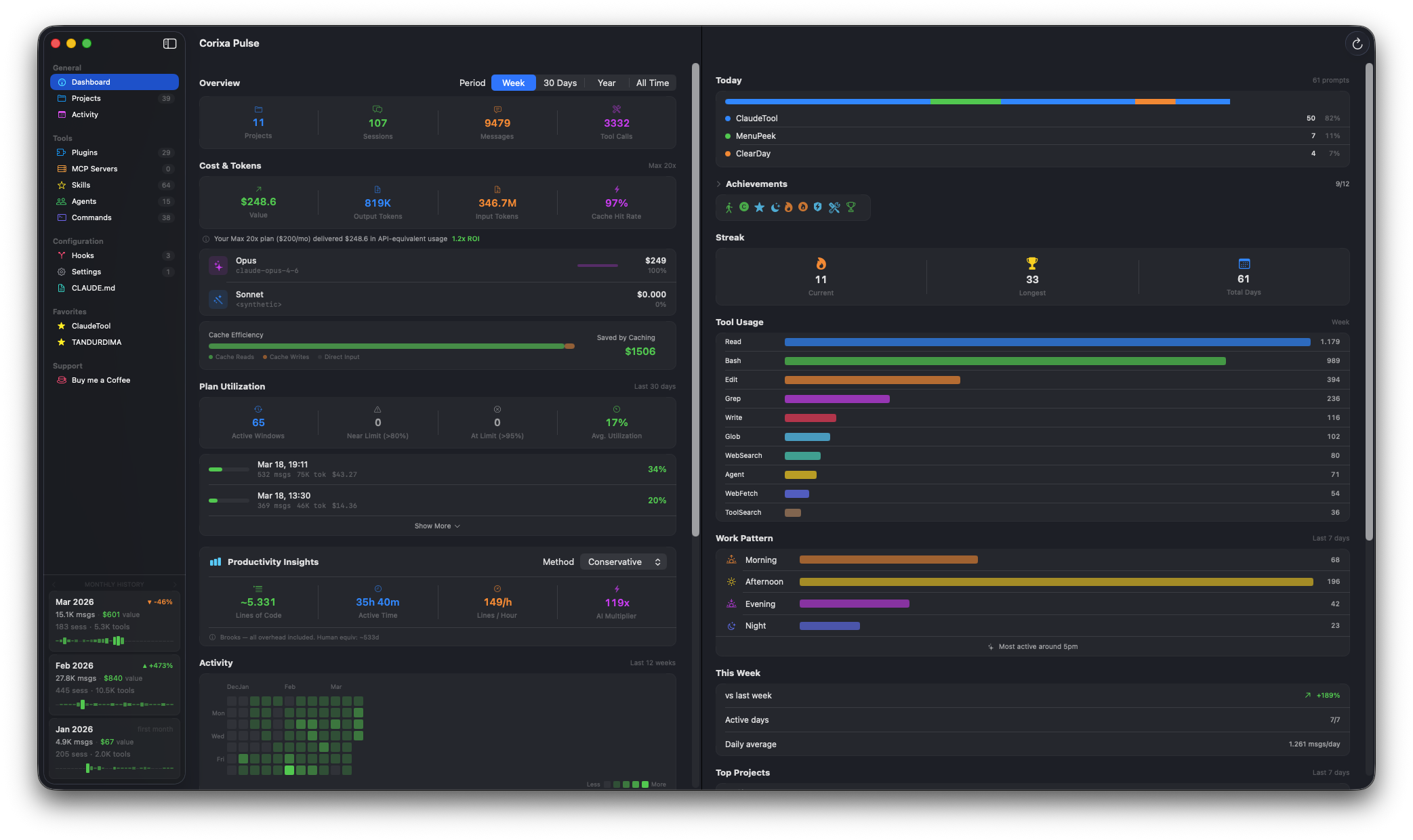
The Corixa Pulse dashboard at a glance
Dashboard Analytics
Track sessions, messages, tool calls, costs, and token usage at a glance.
Project Explorer
Browse all Claude Code projects with session history, branches, and editor integration.
Historical Statistics
Your usage data persisted locally, with monthly trends that outlast Anthropic's retention period.
Privacy First
Sandboxed app with read-only access. No telemetry, no cloud, no data collection.
System Requirements
| Requirement | Details |
|---|---|
| macOS Version | macOS 15.0 (Sequoia) or later |
| Processor | Apple Silicon or Intel |
| Claude Code CLI | Installed and configured |
| Data Directory | ~/.claude/ directory access (granted on first launch) |
Getting Started
Ready to begin? Follow these steps:
Download from the Mac App Store
Get Corixa Pulse from the Mac App Store and install it on your Mac.
Grant Directory Access
On first launch, the app will ask for access to your ~/.claude/ directory. This is needed to read your Claude Code session data. See Installation for details.
Explore Your Dashboard
Your sessions, projects, and usage data are loaded automatically. Start exploring in the Dashboard.