 Corixa
If you use Claude Code regularly, you know the feeling: dozens of sessions across multiple projects, scattered across days and weeks, with no easy way to see the bigger picture. How many sessions did you run last week? Which projects are consuming most of your time? What does your coding activity actually look like over time?
That is why we built Corixa Pulse -- a free, native macOS dashboard that reads your local Claude Code data and presents it visually. It gives you the visibility you have been missing, without sending a single byte of data anywhere.
How it works: Corixa Pulse reads from your local ~/.claude/ directory -- the same data Claude Code stores on your machine. It is entirely read-only.
Dashboard Overview
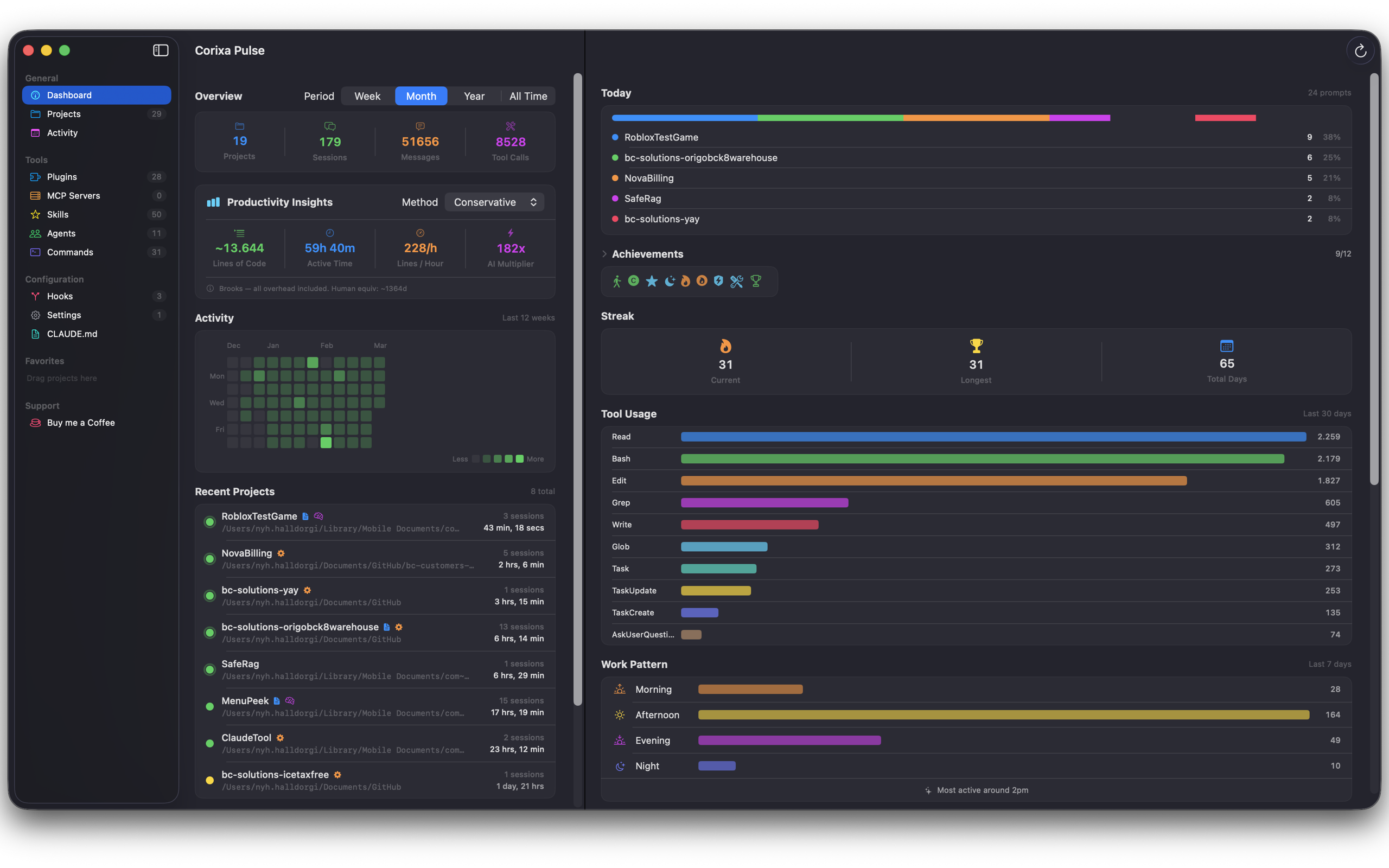
The main dashboard gives you an at-a-glance summary of your Claude Code usage. Front and center, you will find key metrics: total sessions, message counts, tool calls, and the number of projects you have worked on. These numbers update automatically as Corixa Pulse reads your latest session data.
Below the metrics, an activity heatmap -- styled after GitHub's contribution graph -- shows your coding activity over time. Each cell represents a day, with color intensity reflecting how active you were. It is a simple but effective way to spot patterns: busy weeks, quiet stretches, and consistent streaks.
A recent projects list rounds out the dashboard, showing you which projects you have been working on most recently along with their last active timestamps.
Project Explorer
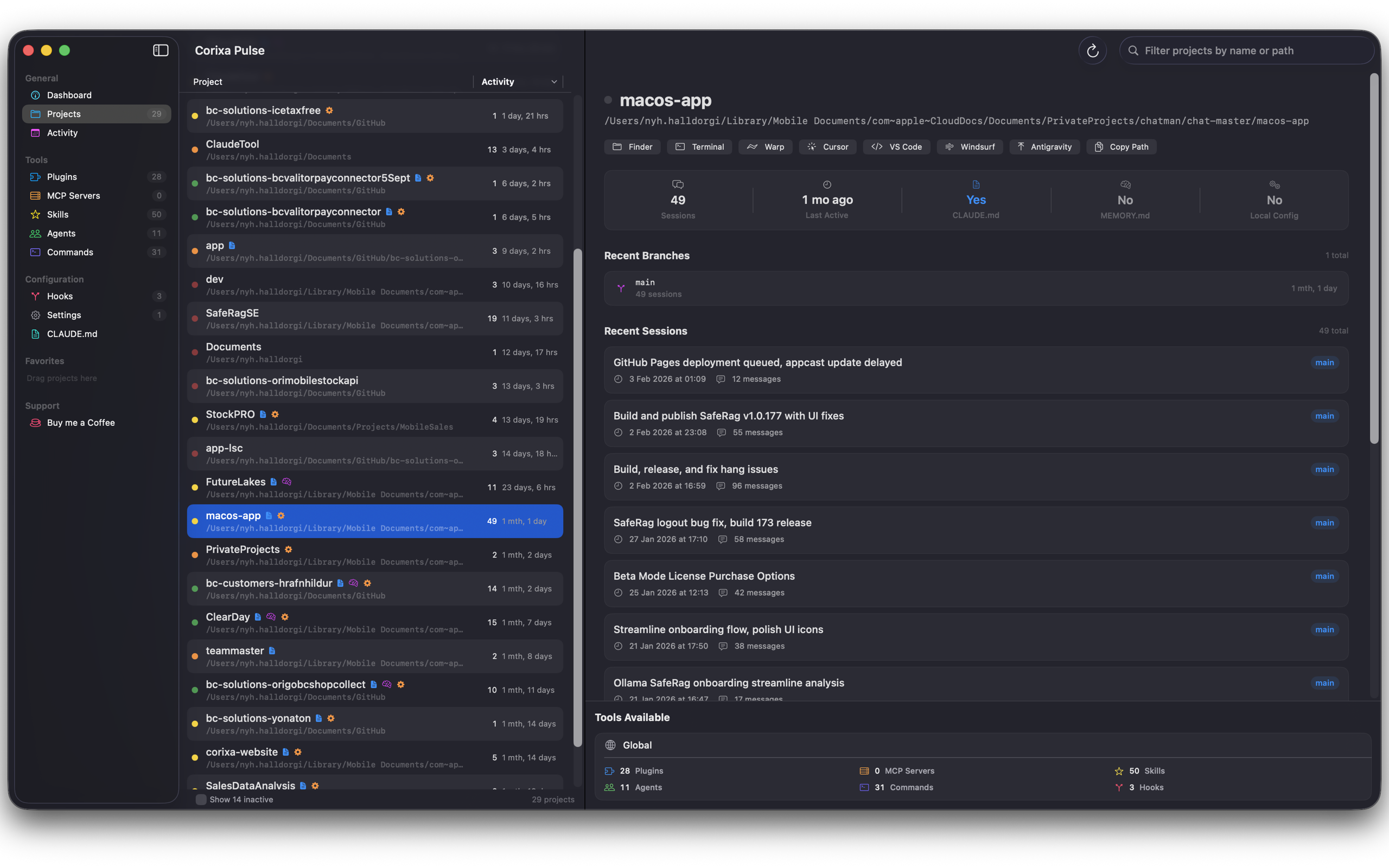
The Project Explorer gives you a complete view of every project Claude Code has touched on your machine. For each project, you can see the number of sessions, the last time it was active, and which git branches were involved.
Need to jump back into a project? Corixa Pulse can open any project directly in your preferred editor. It supports Cursor, VS Code, Windsurf, and Warp out of the box, so you are never more than one click away from picking up where you left off.
Session Browsing
Every Claude Code session is logged with its timestamp and the first prompt you sent. Corixa Pulse lets you browse these sessions in a clean, scrollable list. You can see which branch each session was associated with, making it easy to trace your work back to specific git contexts.
This is particularly useful for recalling what you worked on during a given day, or for finding that one session where you solved a tricky problem and want to revisit the approach.
Activity View
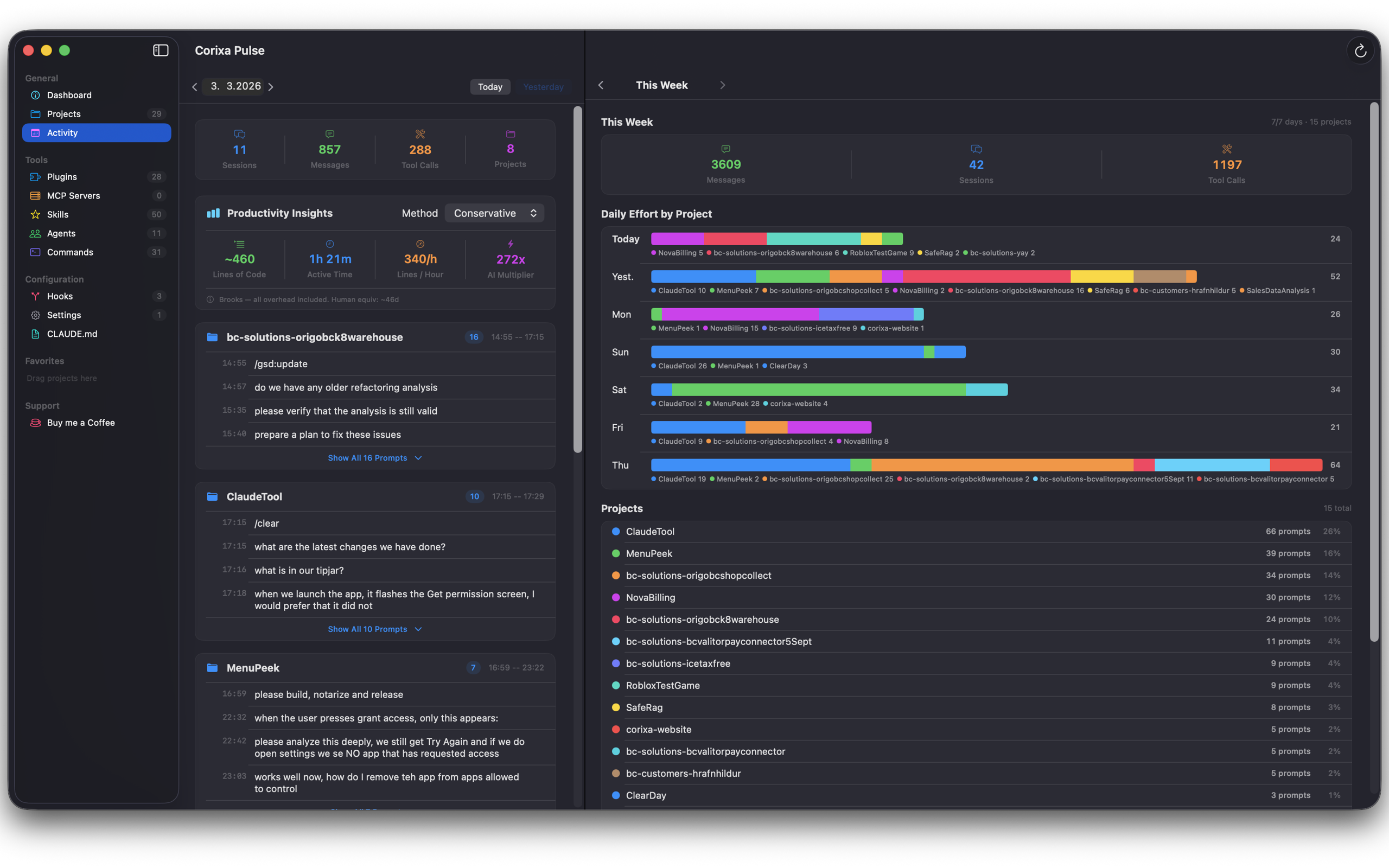
The Activity view breaks down your Claude Code usage day by day. Rather than just showing raw numbers, it groups activity by project so you can see how your time was distributed across different codebases.
A prompt history timeline lets you scroll through your interactions chronologically, while a weekly overview with stacked project bars provides a higher-level perspective on where your effort has been going. This view is especially valuable for developers who juggle multiple projects and want to understand their allocation patterns.
Configuration Visibility
Claude Code supports a growing ecosystem of plugins, skills, agents, commands, hooks, and MCP servers. Keeping track of what you have configured across different projects can be a challenge.
Corixa Pulse surfaces all of this configuration in one place. You can see your active plugins, registered skills, configured agents, custom commands, hooks, and connected MCP servers at a glance. It also provides quick access to view and edit your CLAUDE.md files and settings, so you do not have to hunt through directories to find them.
Achievements
To add a bit of fun to the workflow, Corixa Pulse includes a gamified achievements system. As you use Claude Code, you unlock milestones that reflect your usage patterns:
- First Steps: Complete your first Claude Code session
- Century: Reach 100 sessions
- Night Owl: Work late into the night
- Early Bird: Start a session before dawn
- Streak milestones: Maintain consecutive days of activity
- Tool Master: Use a wide variety of tools across sessions
- 10K and 100K: Hit major message count milestones
Achievements are tracked locally -- they are a personal record of your development journey, not a leaderboard.
Favorites and Organization
Power users working across many repositories will appreciate the Favorites system. Pin your most frequently used projects for quick access, organize them into custom groups, and rearrange everything with drag and drop. It is a small feature, but it makes a meaningful difference when you have dozens of projects in your Claude Code history.
Getting Started
Corixa Pulse is available for free on the Mac App Store. Download it, grant access to your ~/.claude/ directory when prompted, and you will have a full dashboard of your Claude Code activity within seconds.
There is no account to create, no configuration to fuss with, and no subscription. Just install and go.
Download Corixa Pulse on the Mac App Store
Whether you are a solo developer looking to understand your own patterns or a team lead curious about how your workflow has evolved, Corixa Pulse gives you the data to answer those questions -- privately, locally, and for free.